Woolworths Receipt Generator
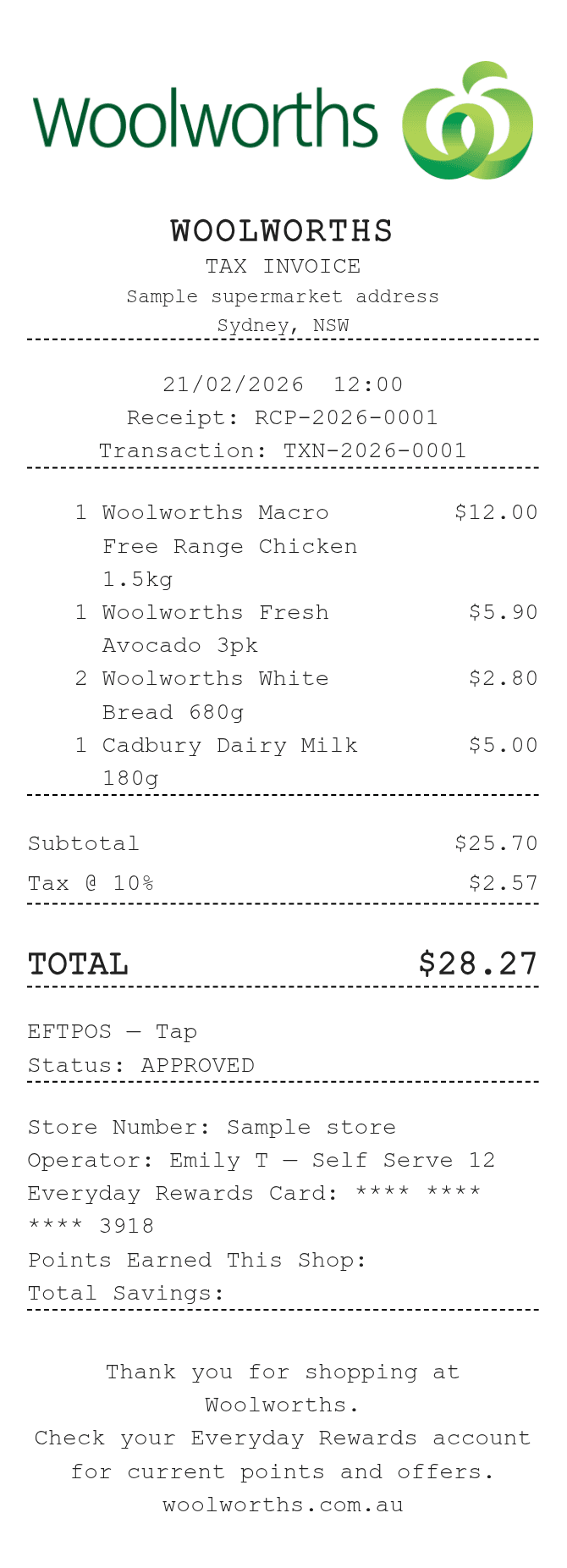
List groceries with their full row amounts, then enter store, operator and payment details. Review the tax setting and any optional Everyday Rewards notes before export.
Last updated
Check the grocery charges and optional rewards text
The Woolworths sample includes a store number, operator details and fields for an Everyday Rewards card reference. Product descriptions can show weights or pack sizes. The amount entered on each row covers the full displayed quantity, so review that charge separately when changing a count.
What a Woolworths receipt shows
Woolworths Supermarkets dockets list each item with its price, mark which lines include GST, and print Everyday Rewards details near the bottom. GST in Australia is 10%, but most basic food, such as fresh fruit and vegetables, unflavoured milk, eggs, plain bread and raw meat, is GST-free, while chips, confectionery, soft drinks and prepared meals are taxable, so a single docket mixes both and has to show which items are taxable.
Everyday Rewards says its eReceipts are tax invoices. They show total purchases and savings, eligible charity donations, the special offers that print on paper receipts and parking vouchers, but not fuel vouchers or collectables, which stay on your card and in the app.
How to get a copy of a Woolworths receipt
Scan or tap your Everyday Rewards card at the checkout and an eReceipt is saved automatically for shops at Woolworths Supermarkets, Woolworths Metro, BIG W and BWS. Open the Activity tab in the app, or My Activity on everydayrewards.com.au, to view it; eReceipts are kept for 14 months and can be downloaded as PDFs. Woolworths Online orders are not covered by eReceipts.
Fields in the Woolworths sample
| Section | Details |
|---|---|
| Store | Branch name, address and registration reference |
| Checkout | Date, time, receipt, transaction and operator |
| Groceries | Description, displayed quantity and full line amount |
| Totals | Subtotal, one entered tax rate and final amount |
| Rewards | Optional card, points and savings text |
Related receipt guides
Check amounts before adding optional notes
- Replace the sample branch and checkout references.
- Enter complete charges for the displayed item quantities.
- Review the single tax setting and payment information.
- Clear unused rewards or savings notes and download the preview.