Coles Receipt Generator
Edit the grocery descriptions and complete row charges, then add store and cashier references. Review tax and any optional Flybuys text before downloading the receipt.
Last updated
Keep the grocery charges separate from loyalty text
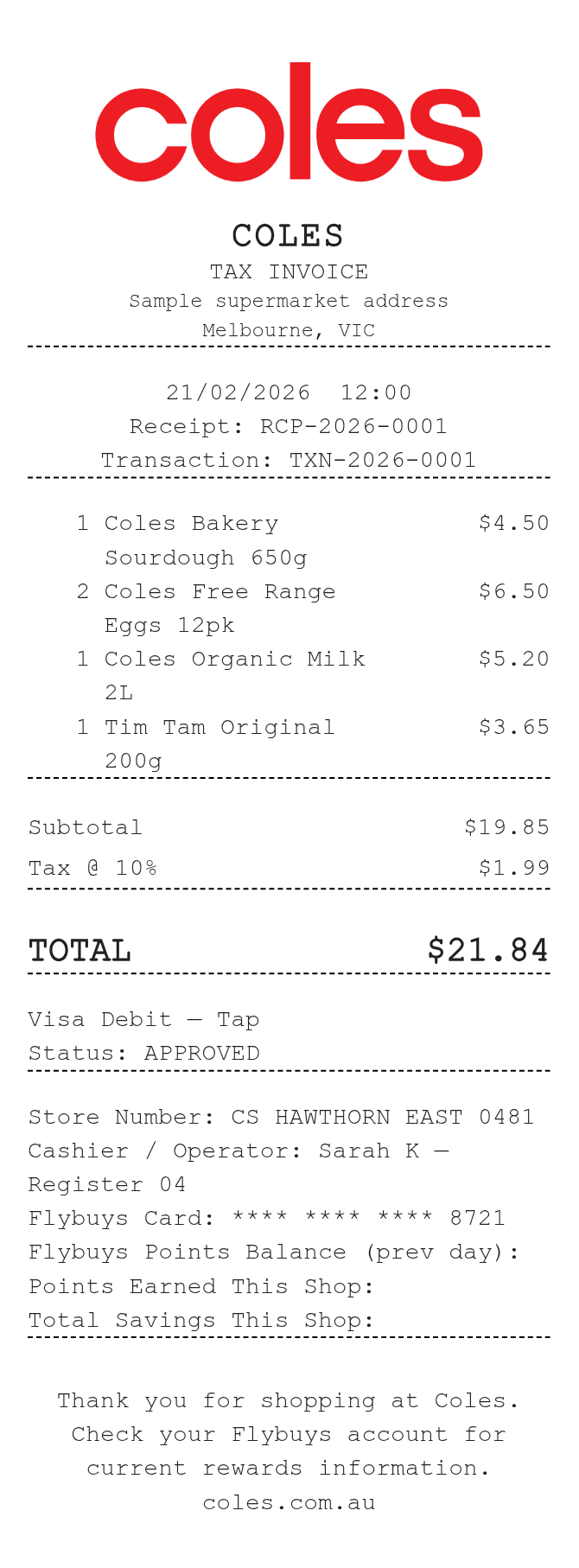
The Coles sample has a compact shopping list followed by store, operator and Flybuys fields. A pack size belongs in the description, while Line amount holds the full charge for that row. The loyalty and savings fields are separate notes; they do not alter the basket total.
What a Coles receipt shows
Coles receipts work as tax invoices. Shoppers commonly see a % symbol beside items that include GST, while GST-free basics such as bread, unflavoured milk, fruit and vegetables are left unmarked; GST is one eleventh of a GST-inclusive price. Coles says its digital receipts include in-store purchases, total savings, a PDF tax invoice, Flybuys points collected, liquor vouchers and collectables. Paper receipts also print the fuel docket at the bottom.
One exception matters for business claims: Coles has said a receipt is not a valid tax invoice where Flybuys points were redeemed, because the GST shown may not be correct.
How to get a copy of a Coles receipt
Link Flybuys to your Coles account and scan the Coles barcode at the register to get digital receipts, usually within a minute. They stay downloadable as PDFs for 14 months in the Coles app under Orders & purchases or on the website under Account > Orders > Instore orders. For online orders, the tax invoice or order confirmation number is the receipt.
Coles template fields
| Section | Details |
|---|---|
| Store | Header, address and tax registration text |
| Purchase | Date, time, transaction and receipt number |
| Groceries | Description, displayed quantity and complete row amount |
| Total | Subtotal with the entered tax percentage added |
| Optional notes | Flybuys reference, points and savings text |
Related receipt guides
Check the full row amounts
- Replace the store and cashier examples.
- For each grocery row, enter its complete charge and displayed quantity.
- Check tax independently of loyalty or savings notes.
- Remove optional values you do not need, then review and export.