Petro-Canada Receipt Generator
Enter fuel and car-wash charges, then add station, pump and liter references. Review the added tax and payment details, and clear any unused Petro-Points notes.
Last updated
Keep fuel and car-wash charges on separate rows
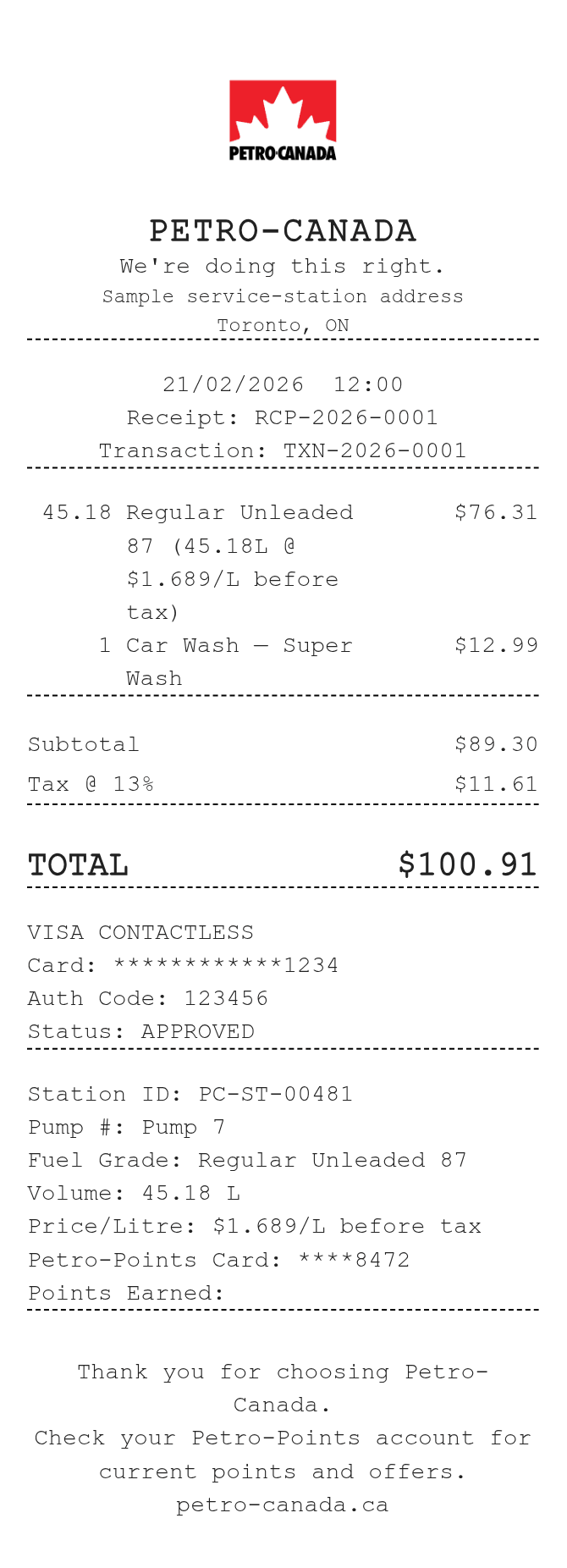
The Petro-Canada sample lists a fuel purchase and a car wash beneath the station details. It also includes pump, fuel grade, volume and price-per-liter references. Enter each complete row charge, then compare it with the text describing that purchase before exporting.
Petro-Canada receipts and Petro-Points
Petro-Canada says your Petro-Points balance appears at the bottom of the receipt, and its program terms treat the points shown on the purchase receipt as correct unless a discrepancy is raised within 60 days. Members earn 10 points per litre of fuel and 10 points per dollar in store, including car washes, and 1,000 points are worth $1. Petro-Points has partnered with Canadian Tire's Triangle Rewards since 2024: linking the accounts earns CT Money plus 20% more Petro-Points on the same purchase. If you pay at the pump with the Petro-Canada app, the receipt is stored in the app.
Fuel receipts in Canada carry 5% GST, or HST of 13% in Ontario, 14% in Nova Scotia and 15% in New Brunswick, Newfoundland and Labrador and PEI, with QST added in Quebec. GST or HST is charged on top of provincial fuel tax. The federal fuel excise tax has been suspended since April 20, 2026, with the suspension extended to January 31, 2027, and the consumer carbon charge ended on April 1, 2025.
Fuel receipts for business use
The CRA lets you deduct vehicle expenses only when they're reasonable and supported by receipts, and expects a logbook of business trips with dates, destinations, purposes and distances. Keep the records for six years.
For card payments at the pump or in store, Petro-Canada doesn't publish a self-serve reprint process, so contact customer service if you need a copy.
Details in this Petro-Canada layout
| Section | Details |
|---|---|
| Station | Branch details, station ID and registration reference |
| Fuel | Pump, grade, volume and price-per-liter text |
| Purchases | Description, displayed quantity and full charge |
| Tax | One rate added to the complete subtotal |
| Payment and notes | Card or custom payment and optional Petro-Points text |
Related receipt guides
Check the fuel price and any extra purchase
- Replace the station and transaction references.
- Enter the complete fuel and car-wash row amounts.
- Review the volume, rate and selected tax percentage.
- Check payment and optional rewards notes before download.
FAQs
Official sources
- Petro-Canada — Discover Petro-Points
- Petro-Canada — Petro-Points terms
- Petro-Canada — Retail app
- Triangle Rewards — Petro-Canada partnership