Currys Receipt Generator
Enter the branch, product codes, quantities and unit prices. Check the currency, tax and purchase references, then download the receipt.
Last updated
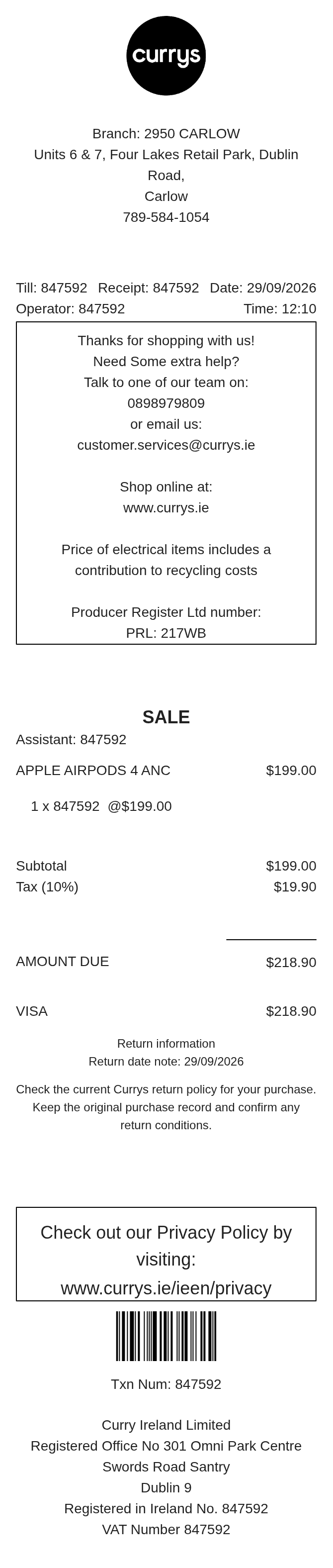
An itemized store layout with branch and till references
This Currys template places the branch, till, receipt and operator references above the purchase list. Each product has a code, description, quantity and unit price. The sample starts with an Irish branch address, so review the currency and company details along with the amounts for your own record.
Currys receipts and proof of purchase
Currys issues three kinds of proof of purchase: the paper till receipt, an emailed receipt for in-store purchases if you gave your email at the till, and the online sales invoice sent with online orders. Online order numbers start with CUR or PCW followed by 10 digits. Currys says returns and exchanges can only be processed with proof of purchase, and it accepts the sales receipt, a bank statement or the online sales invoice.
The return window is 30 days. Store purchases must come back unopened in sealed packaging, while online purchases can be opened for inspection but must be returned like new for a full refund. Faulty items can be exchanged or refunded within 30 days, and after that Currys may repair them under the standard 12-month warranty, which runs from the purchase date on your receipt. UK law adds a 30-day right to reject faulty goods and, for online orders, a 14-day cancellation right.
Getting a copy of a Currys receipt
Search your inbox, including spam, for Currys: online receipts and emailed in-store receipts land there. If the email is gone, Currys has a receipt request form that needs the CUR or PCW order number plus the name and email on the order, though the copy it sends is not a VAT receipt. For a paper till receipt, go back to a store and ask for a copy.
Electronics are standard-rated at 20% VAT in the UK. HMRC lets retailers issue simplified VAT invoices for sales of £250 or less including VAT, so a business buying above that should ask for a full VAT invoice and keep the original.
Branch details and product rows
| Section | Details |
|---|---|
| Store visit | Branch, address, till, receipt and operator |
| Products | Code, description, quantity and unit price |
| Amounts | Calculated subtotal, entered tax percentage and amount due |
| Company details | Editable registration and VAT references |
| Closing information | Contact message and optional return-date note |
Related receipt guides
Check the currency before entering prices
- Replace the branch and company information and choose the appropriate currency.
- Set the purchase date and enter products with quantity and price per unit.
- Review the tax setting and calculated amount due.
- Check any return-date note against the original purchase terms, then preview and save.