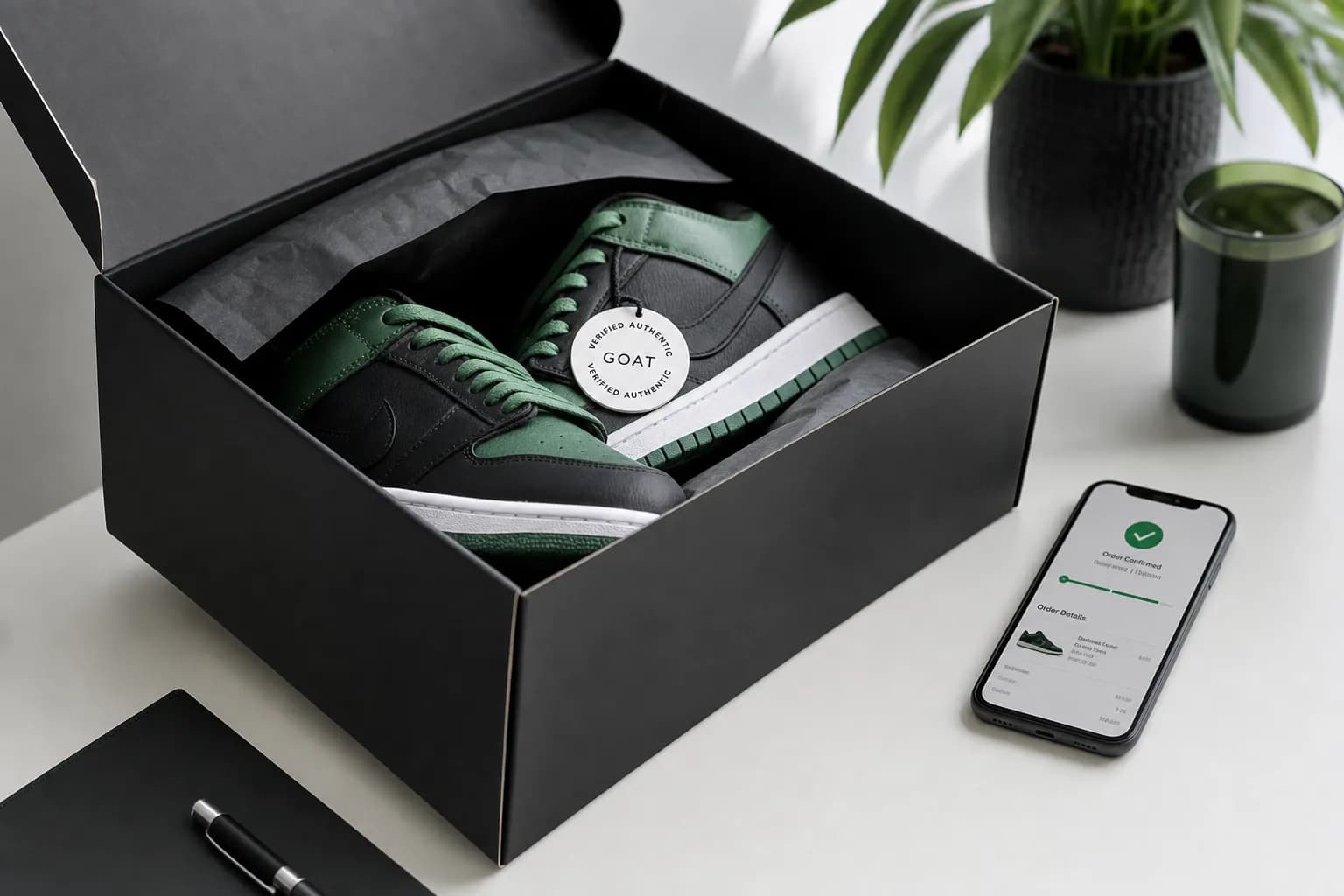
GOAT receipts come as order confirmation emails immediately after purchase. To get your GOAT receipt: check your email for the order confirmation from GOAT, log into goat.com Order History, or open the GOAT app and tap your profile → Orders. GOAT does not provide a separate "receipt" document — the order confirmation IS your receipt.
This guide covers everything about GOAT receipts: how to get them, what is on them, why they matter for sneaker resale and authentication, and how to create GOAT-formatted receipts using the GOAT receipt template.
How to Get Your GOAT Receipt — 3 Methods
Method 1: GOAT Order Confirmation Email
Every GOAT purchase triggers an immediate order confirmation email. This serves as your receipt:
- Search your email for "GOAT" or "Order Confirmation"
- Open the email from noreply@goat.com or orders@goat.com
- The email contains: order number, item, size, sale price, GOAT fees, shipping, total
Method 2: GOAT App or Website
- Sign into the GOAT app or goat.com
- Tap your profile icon
- Select Orders
- Find the transaction
- Tap to see full order details
Save your own complete copies; do not assume account history will remain available indefinitely. For an older or missing transaction, ask the retailer what records it can retrieve.
Method 3: GOAT Customer Support
If an order is missing, ask GOAT support whether it can locate it using your account and purchase details. Do not assume all historical records can be recovered.
What is on a GOAT Receipt
| Field | Details |
|---|---|
| Order number | Unique GOAT transaction identifier |
| Order date | When Buy Now was clicked / offer accepted |
| Item details | Brand, style, colorway, size |
| Style code / SKU | Manufacturers product code (e.g., DD1391-100) |
| Sale price | Price paid for the item |
| GOAT fees | Any buyer charges shown on the order |
| Shipping | Standard or expedited shipping cost |
| Sales tax | State-based sales tax |
| Total | Final amount charged |
| Payment method | Card type and last 4 digits |
| Shipping address | Delivery destination |
| Authentication status | Verified by GOAT (after authentication) |
GOAT vs StockX Receipts
GOAT and StockX dominate sneaker resale. Their receipt formats differ:
| Aspect | GOAT | StockX |
|---|---|---|
| Email format | Order confirmation email | Order confirmation email |
| Account access | App + web | Web (and app) |
| Verification materials | May vary by order | May vary by marketplace and order |
| Buyer fees | Check the order breakdown | Check the order breakdown |
| Used items | Yes (separate marketplace) | New only |
For StockX-specific details, see our StockX receipt guide.
Why GOAT Receipts Matter
Resale Verification
An original invoice can help document where and when an item was purchased. It does not, by itself, authenticate the physical item or guarantee a resale price. Ask the buyer or resale service what evidence it needs.
Insurance Claims
Keep the original invoice and item details, then ask your insurer which records and valuations it needs. Coverage limits and documentation requirements vary by policy; there is no universal $5,000 scheduling rule.
Tax Reporting (For Resellers)
As checked September 11, 2026, the federal third-party marketplace reporting threshold is over $20,000 and more than 200 transactions. A form may be issued below that threshold, and the threshold does not determine whether income is taxable. Keep purchase, sale and fee records. IRS Form 1099-K guidance.
Returns and Disputes
Return eligibility and refund form depend on the item and country. Use the order page or contact support and follow the GOAT shipping, purchases and returns policy (checked September 11, 2026). An order number helps support locate the transaction; if it is missing, ask what other details can be used.
GOAT Receipt Template
The GOAT receipt template can format known purchase details for your records. A personally prepared reconstruction should be labeled as such and kept with the underlying evidence. It is not a brand-issued duplicate or proof of authenticity; ask the receiving organization whether it will accept it. Its fields include:
- GOAT standard order confirmation layout
- Order number field
- Item details with style code, colorway, size
- Sale price + buyer fees + shipping + tax breakdown
- Payment method and shipping address
- PDF or PNG download
For other resale platforms, see StockX receipts. For luxury items beyond sneakers, browse luxury templates including Louis Vuitton.
FAQs About GOAT Receipts
How do I get my GOAT receipt?
Check your email for the order confirmation from noreply@goat.com. Or sign into the GOAT app or goat.com, tap your profile, then Orders, and find the transaction. The confirmation email IS your receipt — no separate document is generated.
Does GOAT send a paper receipt with the shoes?
Check the order email and available account documents for your receipt. Packaging and verification materials can vary; do not rely on a particular tag or box to prove a purchase.
How do I prove I bought from GOAT?
Compare the order email with the transaction in your account and retain any product documentation. A receipt or tag alone does not authenticate an item; contact GOAT if the purchase or product raises concerns.
Can I get a GOAT receipt for an old order?
Save your own complete copies; do not assume account history will remain available indefinitely. For an older or missing transaction, ask the retailer what records it can retrieve.
Are GOAT receipts accepted for tax deductions?
An original receipt can support a tax record, but the merchant name and four receipt fields do not establish deductibility. Keep payment evidence and the relevant business-purpose records. See our IRS receipt requirements guide.
What is the difference between GOAT and StockX receipts?
Compare each platform’s current order details, verification process and charges; receipt layout and tags can vary. See our StockX receipt guide for that platform’s records.
How do I print a GOAT receipt?
Open the GOAT app, tap your profile → Orders, select the order, tap Share. Choose Print to print directly or Save as PDF. On goat.com, navigate to Order Details and use your browsers Print → Save as PDF. The order confirmation email can also be printed directly from your email client.
Can I create a GOAT receipt with the receipt generator?
The receipt generator can format known order details. A personally prepared reconstruction should be labeled as such and kept with the underlying evidence. It is not a brand-issued duplicate or proof of authenticity; ask the receiving organization whether it will accept it.