About the PRESTO Card Receipt
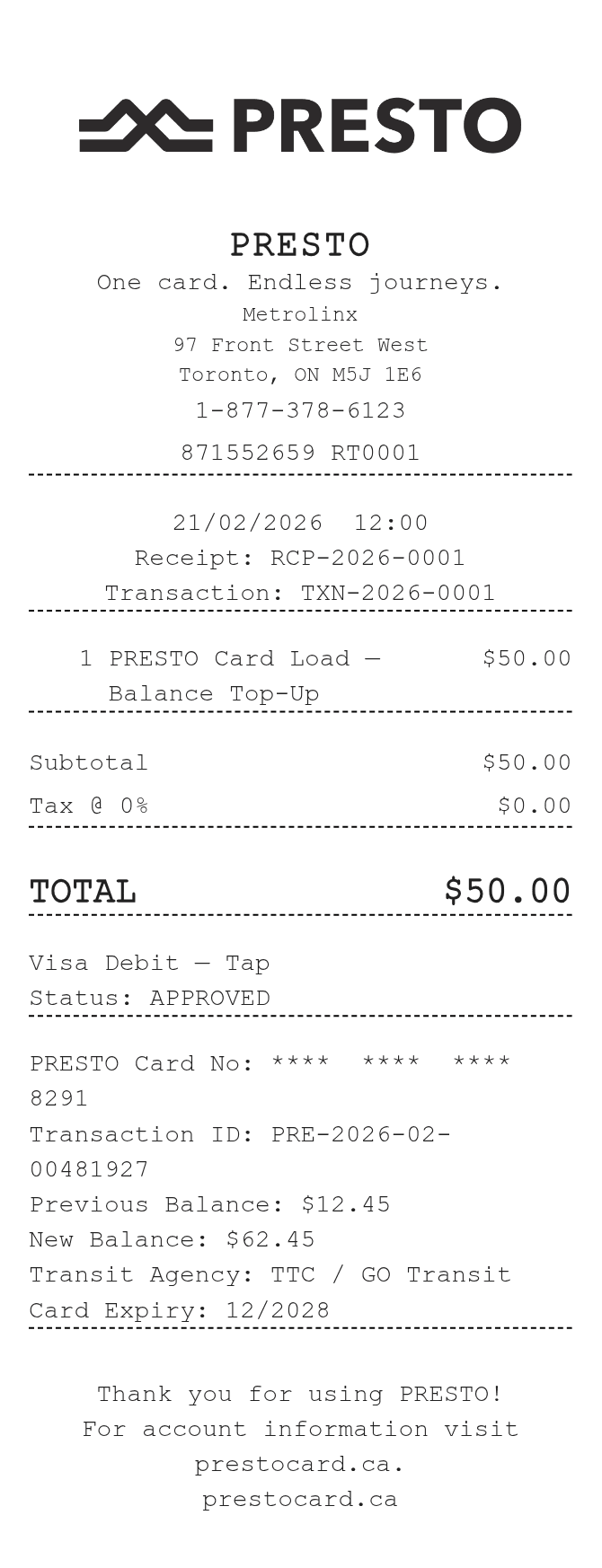
A PRESTO Card receipt documents a load or auto-reload transaction on a PRESTO transit payment card used across Greater Toronto, Ottawa, and other Ontario transit agencies. It shows the amount added, payment method, card serial number, and transaction reference. Commuters recreate these receipts for employer transit reimbursements, expense reports, or tax purposes when the original email or kiosk printout is lost.
PRESTO in Numbers
PRESTO is a contactless fare card system operated by Metrolinx, Ontario's regional transit agency. Launched around 2010 and expanded broadly through the 2010s, it is accepted on more than a dozen transit systems including TTC, GO Transit, OC Transpo, and several Hamilton and Durham region operators. Millions of cards are in active use across Ontario.
What Is On a PRESTO Card Receipt
| Section | Details |
|---|
| Section | Details |
| Header | PRESTO logo, Metrolinx branding, transaction type (e.g., Load Funds) |
| Card Info | PRESTO card serial number (last 4 digits or full), card nickname if set |
| Transaction Details | Date and time of load, transaction reference number |
| Amount Loaded | Dollar amount added to the card |
| Balance | Card balance before and after the load |
| Payment Method | Credit card, debit card, or cash (at kiosk), with partial card number |
| Location | Website, app, kiosk ID, or transit station where load occurred |
| Contact Info | PRESTO customer service number and website for disputes or lookups |
Using a PRESTO Card Receipt
- PRESTO fund loads are generally non-refundable once applied to the card; contact customer service for disputed or failed transactions.
- Keep your transaction reference number to resolve any discrepancy with PRESTO support at 1-888-863-0152 or prestocard.ca.
- Employers and transit benefit programs typically require a receipt showing the card number, amount, and date for reimbursement.
- If your card is lost or stolen, the balance can be transferred to a new card when the account is registered online.
FAQs
How do I get a copy of my PRESTO load receipt?
Log in to your PRESTO account at prestocard.ca and navigate to Transaction History. You can view, print, or download records for any registered card going back several months.
What information do I need to recreate a PRESTO receipt for expense reimbursement?
You need the card serial number (or last 4 digits), the load date and time, the amount added, the payment method used, and the transaction reference number. All of this is available in your online account history.
Can I use a PRESTO receipt for Canadian tax purposes?
Yes. Some provinces and employers allow transit pass or commuting cost deductions. A receipt showing the date, amount, and card number is typically sufficient documentation. Check with your employer or a tax advisor for specific requirements.
Why would someone use a PRESTO receipt template?
Common reasons include replacing a lost kiosk printout, generating a formatted record from an online load for an expense claim, or creating a sample for internal HR or finance teams building reimbursement workflows.
Related Templates