Monster Energy Receipt Template
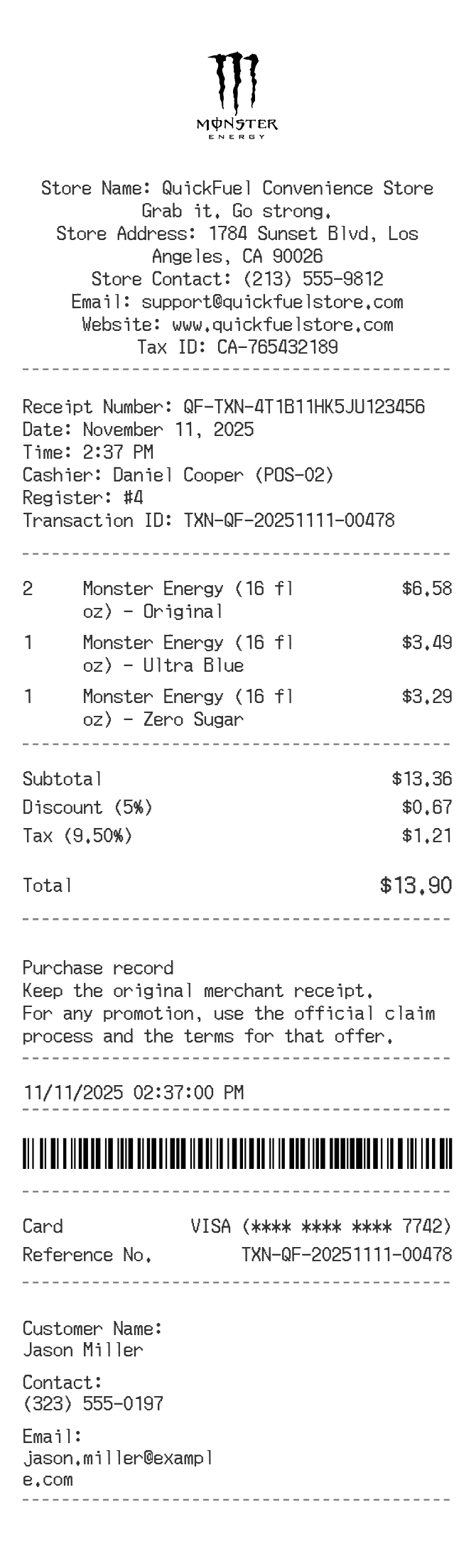
Record a Monster Energy purchase with the drink variety, can size and quantity. Edit the retailer and payment details, then check the itemized total before saving.
✏️ Editable fields📱 PDF & Image export⚡ Instant preview
📝Editor
👁️Live Preview
Last updated
Keep drink varieties and pack sizes clear
Use this Monster Energy receipt template for your own purchase records. Give each variety its own row and describe whether the price is for a single can or a multipack. The editor multiplies quantity by unit price, so that distinction matters when you enter the purchase.
Describe what was actually bought
| Section | Details |
|---|---|
| Retailer | Replace the sample shop with the seller shown on your original receipt. |
| Product | Enter the variety and can size, or the size of the multipack. |
| Quantity | Count the units that correspond to the price you enter. |
| Adjustments | Match any percentage discount and tax to the purchase record. |
| Payment | Copy the method and reference from the completed transaction. |
Related receipt guides
Keep the original receipt for promotions
- For two cans at 3.29 each, enter quantity 2 and unit price 3.29. If a row describes one four-pack, quantity 1 should use the price of that whole pack.
- Use the original merchant receipt for any reward claim and follow the terms of the specific promotion. This editor does not submit receipts, create reward codes or award points. Any rewards message in the layout is editable text.