Q-Park Receipt Generator
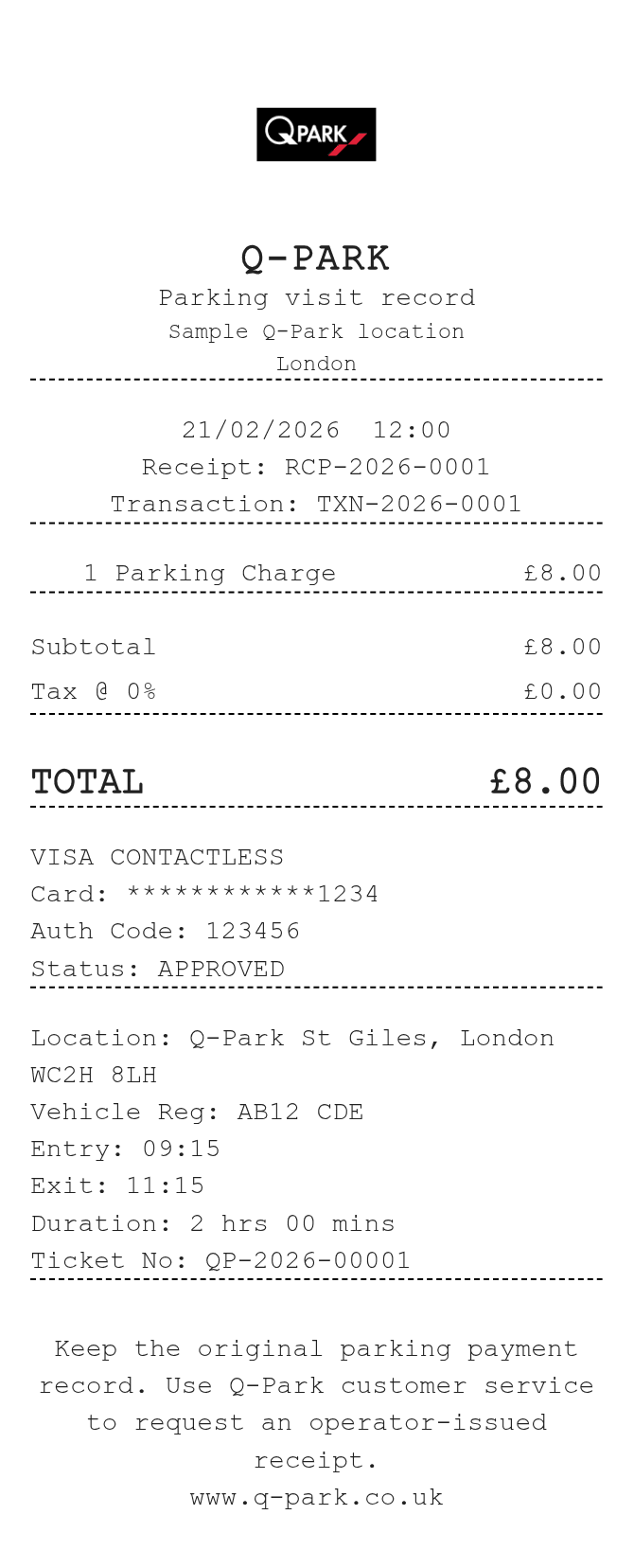
Add the car park, vehicle registration, entry and exit times and ticket number. Enter the charge separately and check the payment details before export.
Last updated
Keep the visit details beside the parking charge
The Q-Park template has separate fields for the car park location, registration, entry, exit, duration and ticket number. Those fields describe the visit; the item amounts determine the cost. Duration is entered text, so changing a time will not update it. For the original receipt, use Q-Park’s receipt request service.
How Q-Park issues parking receipts
At a Q-Park car park you either take a ticket from the entry machine or use Tap & Go, tapping a contactless bank card on the reader instead. If you don't pre-book, you pay at the pay machine using the methods shown on the tariff board, and payment options vary by car park. Pre-booked parking is paid online when you book, and Q-Park sends an email confirmation and a receipt, which also appear in your My Q-Park account but not in the Q-Park app. Sessions paid through the app are listed under History, where receipts can be viewed or sent to your email.
For business records, HMRC says the provision of parking facilities is normally standard-rated for VAT (VAT Notice 742, section 4). A VAT-registered business can rely on a simplified VAT invoice for supplies of £250 or less if it shows the supplier's name, address and VAT number, the time of supply, a description, and the VAT-inclusive total with the rate. Self-employed people can claim business parking as an allowable expense on GOV.UK's list, but fines and penalty charges are not allowable, so keep the parking receipt separate from any charge notice.
How to request a copy of a Q-Park receipt
Q-Park UK's receipt request form asks for your name and email, the date and time of payment, the car park, the amount paid, and the first six and last four digits of the card used. If you paid with a phone or watch, it asks for a screenshot showing the debit on your bank account. Wait until the transaction is no longer pending, as Q-Park can't trace pending payments. It aims to process requests within 5 days and cannot provide receipts for cash payments.
Visit details in this layout
| Section | Details |
|---|---|
| Car park | Location and business header |
| Vehicle | Registration |
| Stay | Entry, exit and entered duration |
| Payment | Ticket reference, line amount and payment details |
Related receipt guides
Check the visit before saving
- Replace the example car park and registration.
- Set both times and update the duration text.
- Enter the actual charge and applicable tax setting.
- Compare the ticket reference with the original record.
FAQs
Official sources
- Q-Park UK: request an original receipt
- Q-Park UK - Request a receipt
- Q-Park UK - FAQ
- GOV.UK - VAT on land and property (Notice 742)
- GOV.UK - VAT guide (Notice 700), simplified invoices
- GOV.UK - Travel expenses if you're self-employed