InPost Locker Receipt Generator
Add the locker ID, location, parcel code and size. Enter the charge, review the payment references and download the receipt.
Last updated
Keep the locker details together
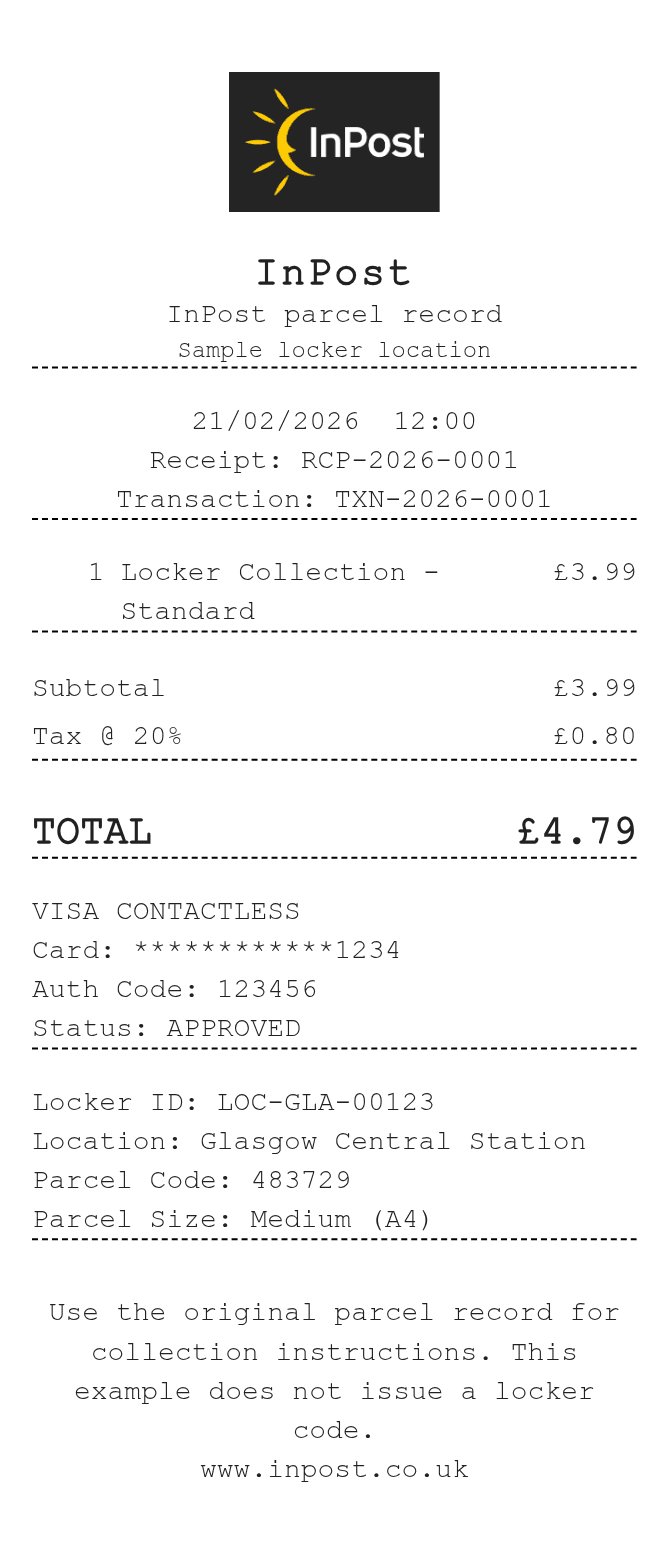
The InPost template focuses on a locker transaction. It has fields for Locker ID, Locker Location, a parcel code and Parcel Size, followed by the charge and payment information. These values remain editable text; changing the code or size does not reserve a locker, open a compartment or change a carrier charge.
What an InPost drop-off receipt shows
InPost UK runs a paperless receipt system. Its receipts page explains that a digital receipt shows you dropped off or picked up a parcel where you were supposed to, which gives both buyer and seller peace of mind. The email receipt lists the drop-off or pick-up date and time, the locker or InPost Shop location and tracking information. InPost's Service Terms say that once a parcel is placed in a locker, you can request a digital receipt, whether you are sending a parcel or making a return to a retailer partner.
The receipt matters most when something goes wrong. Under InPost UK Limited's Service Terms, last updated May 2025, standard compensation for a parcel lost, stolen or damaged in transit is the lower of the cost value of the items or £50.00. You can buy additional coverage when ordering, up to a parcel value of £500.00, and parcels with items worth more than £500.00 are sent at your own risk. InPost may ask for proof of the value of the items at any point, so keep the purchase receipt for what you sent alongside the drop-off receipt.
How to get an InPost receipt by email
After you close the locker door, the locker screen offers a receipt; scanning its QR code fills in your parcel number automatically. You can also request one on InPost's receipts page with the parcel number and the email address it should go to. If InPost already has your email, which depends on the retailer, a confirmation is sent automatically.
At an InPost Shop, staff won't hand you a paper proof of postage. Request the receipt online instead, and check your junk folder if it doesn't arrive.
Locker-record fields
| Section | Details |
|---|---|
| Location | Locker ID and location name |
| Parcel | Entered code and size |
| Charge | Complete row amount and manual tax |
| Payment | Method and reference details |
Related receipt guides
Use the right parcel reference
- Replace the example locker and parcel information.
- Enter the recorded charge and tax, if applicable.
- Check the payment and receipt references.
- Review the preview before downloading.
FAQs
Official sources
- InPost: request a parcel drop-off receipt
- InPost - Our paperless receipts
- InPost - Get your receipt
- InPost - Proof of postage at an InPost Shop
- InPost UK Limited - Service Terms
- GOV.UK - Record keeping for VAT (VAT Notice 700/21)