ASDA Receipt Generator
Add groceries with quantities and unit prices, then enter the store, operator and till details. Check the tax setting and payment references in the preview before download.
Last updated
Read the checkout references alongside the item list
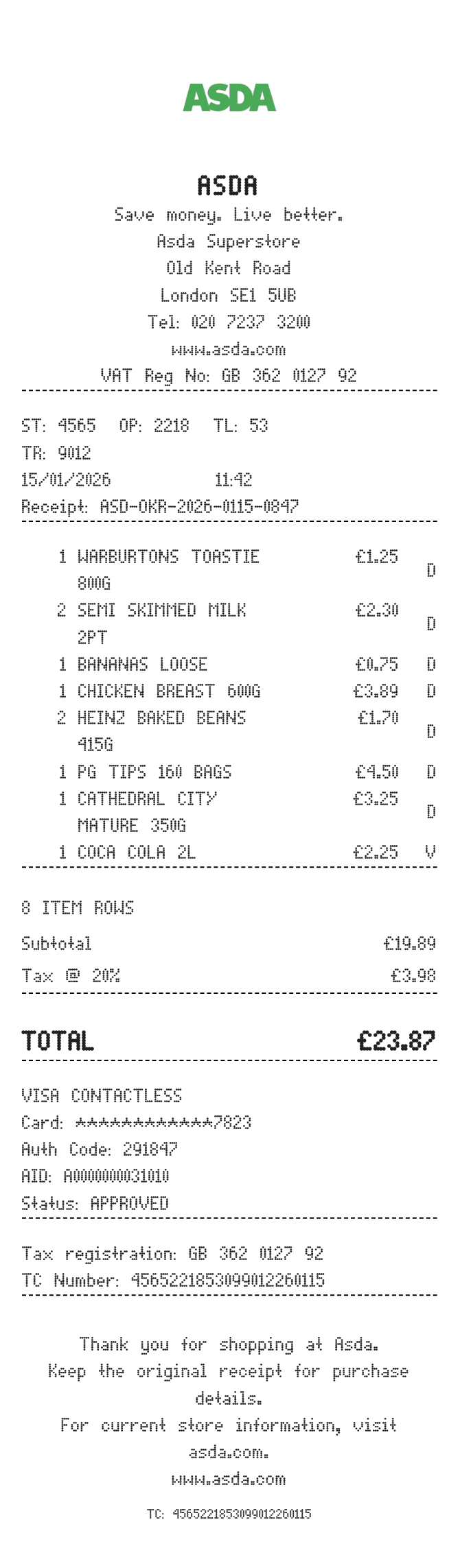
This ASDA layout groups Store (ST), Operator (OP), Till (TL) and Transaction (TR) above the basket. The item editor uses unit prices, so buying two cartons doubles that row’s charge. AID and TC Number are separate payment references that you enter manually.
Asda receipts, proof of purchase and VAT
Asda asks for proof of purchase on returns, preferably a till receipt that shows the item, transaction, cost and date, though a printed bank, building society or credit card statement also counts. Most items can be returned within 30 days, and faulty or misdescribed goods within a year. Electrical products and music, video and games need the original receipt or proof of purchase, chilled and frozen items can't be returned for a change of mind, and on selected Asda-brand items a refund without a receipt is given at the current selling price on a gift card.
Asda Rewards only credits purchases when you scan the app before paying; Asda says it can't backdate missed scans. Earnings appear in your Cashpot within 24 hours, and the app's Cashpot History shows everything you've earned and spent. Cashpot pounds last six months and vouchers 90 days.
Getting an Asda VAT receipt
For online grocery orders, use Asda's VAT Request Grocery form with the order number, date and value, once 7 days have passed since delivery. George VAT receipts can be downloaded from your account. Asda Stores Limited's VAT number is GB 362 0127 92.
Most food is zero-rated for VAT, while confectionery, crisps, ice cream, alcohol, most soft drinks and non-food items carry 20%. HMRC lets retailers issue a simplified VAT invoice for sales up to £250.
Basket and till fields
| Section | Details |
|---|---|
| Store | Name, address, website and tax registration reference |
| Checkout | ST, OP, TL, TR, date and time |
| Basket | Description, quantity and unit price |
| Totals | Subtotal and one entered tax percentage |
| Payment | Method, card ending, authorization, AID and TC Number |
Related receipt guides
Review quantities and tax separately
- Set the store and till references.
- Use a price for one unit in each item row.
- Review the whole-subtotal tax percentage against your intended record.
- Replace the footer with relevant order information and export the preview.
FAQs
Official sources
- Asda — Returns and exchanges policy
- Asda — VAT request for grocery orders
- Asda — Missed Rewards scans
- Asda — Company details
- HMRC — Food products and VAT (Notice 701/14)