Nike Receipt Generator
Add product descriptions and IDs, choose taxable or exempt for each row, and review item discounts. Update the store and payment references before saving your receipt.
Last updated
Check item discounts and tax codes together
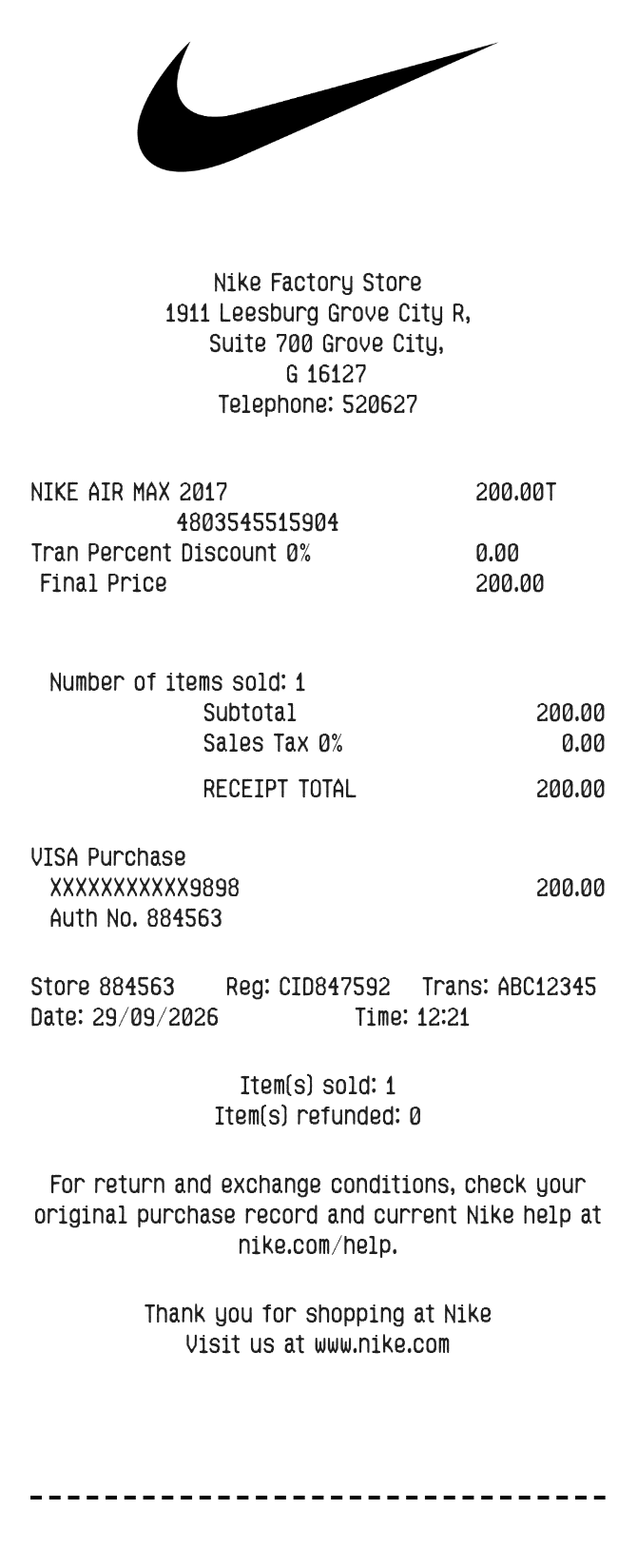
The Nike editor records a product ID, description and item amount on each row. A percentage discount changes that row’s final price. The tax code then determines whether the entered sales-tax rate applies to the discounted amount.
Nike receipts and proof of purchase
Nike accepts three kinds of proof of purchase: the order number, the order barcode in your order history, or the original store receipt. Online and app orders arrive with an order confirmation email and are kept in your order history; guests can look them up at nike.com/orders with the order number and email. Store purchases also show up in your order history if you scanned your Nike Member pass at checkout, which is why Nike tells members they don't need to keep the paper receipt.
Most purchases can be returned or exchanged within 60 days of delivery or store purchase, and proof of purchase is required. Returns are free for Nike Members, while Nike Clearance store purchases are final. Gifts can be returned at a Nike store with proof of purchase and are refunded on a Nike gift card. Custom Nike By You sneakers can be returned within 60 days, but custom jerseys can't.
Warranty claims and sales tax
Nike's warranty covers material or workmanship flaws for two years from the manufacture date on the item's tag, not the purchase date, and excludes normal wear and tear. A warranty claim asks for the place and date of purchase, the style code and the receipt amount, and items bought from other retailers go back to that retailer.
Nike.com charges sales tax based on the shipping address, calculated when the order ships, and doesn't accept tax-exempt orders. Members can get a one-time price adjustment within 14 days on digital purchases.
Fields in the Nike checkout layout
| Section | Details |
|---|---|
| Store | Name, address, telephone and store number |
| Checkout | Transaction, registration, date and time |
| Item | Description, product ID and complete row amount |
| Adjustments | Percentage discount and taxable T or exempt E code |
| Payment | Method, card suffix, authorization and total |
Related receipt guides
Review the final price on each item row
- Replace the store and checkout references.
- Enter each product and its amount, then set any item discount.
- Choose the tax code for each row and check the sales-tax percentage.
- Review the payment details and the complete preview before export.
FAQs
Official sources
Related Templates
- Jordan 4 model and style details
- Foot Locker receipt with quantities
- Lululemon color and size fields
- The North Face Receipt
- Oakley Store Receipt
- Off Broadway Shoes Receipt
- Samsonite Receipt
- Tailor Receipt
- Zalando Receipt
- Banana Republic Receipt
- Forever 21 Receipt
- H&M Receipt
- New Balance Order Receipt
- Carter's Receipt