Lids Receipt Generator
Add caps, team gear or care accessories with their quantities and prices. Review customer and cashier details, discounts, tax and payment before downloading.
✏️ Editable fields📱 PDF & Image export⚡ Instant preview
📝Editor
👁️Live Preview
Last updated
Make fitted sizes and custom work clear in the item list
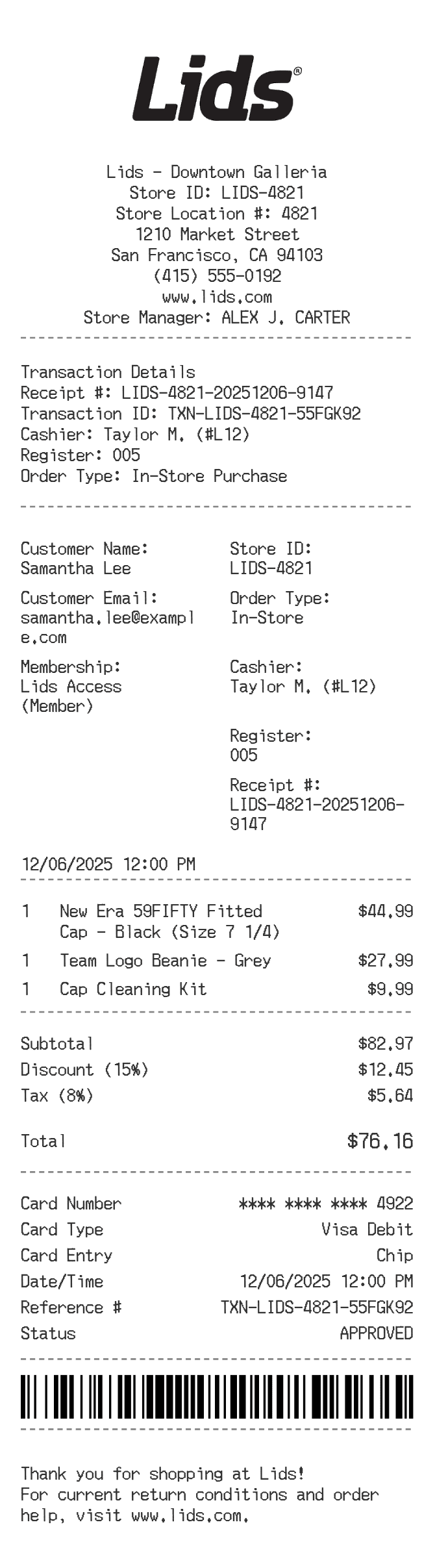
The Lids template starts with a fitted cap, beanie and cleaning kit. Put the team, color and fitted size in the product description. If your record includes a separately charged customization service, give that charge its own described row rather than hiding it in a general note.
What to enter for a hat purchase
| Section | Details |
|---|---|
| Store | Location, store ID and contact details |
| Checkout | Cashier, register, receipt and transaction references |
| Products | Description, quantity and unit price |
| Customer | Name, optional email and membership note |
| Summary | Discount, tax, total and separate payment details |
Related receipt guides
Review the product description and each separate charge
- Replace the store and checkout examples.
- Enter the cap style and size, with separate rows for accessories or charged services.
- Check the discount and tax in Total Lines.
- Review membership and payment notes before saving the receipt.