Champs Sports Receipt Generator
Describe the sneakers or sportswear, enter the complete amount for each row, and review the store and associate references. Check tax and payment before exporting.
Last updated
Include the style and size with each purchase
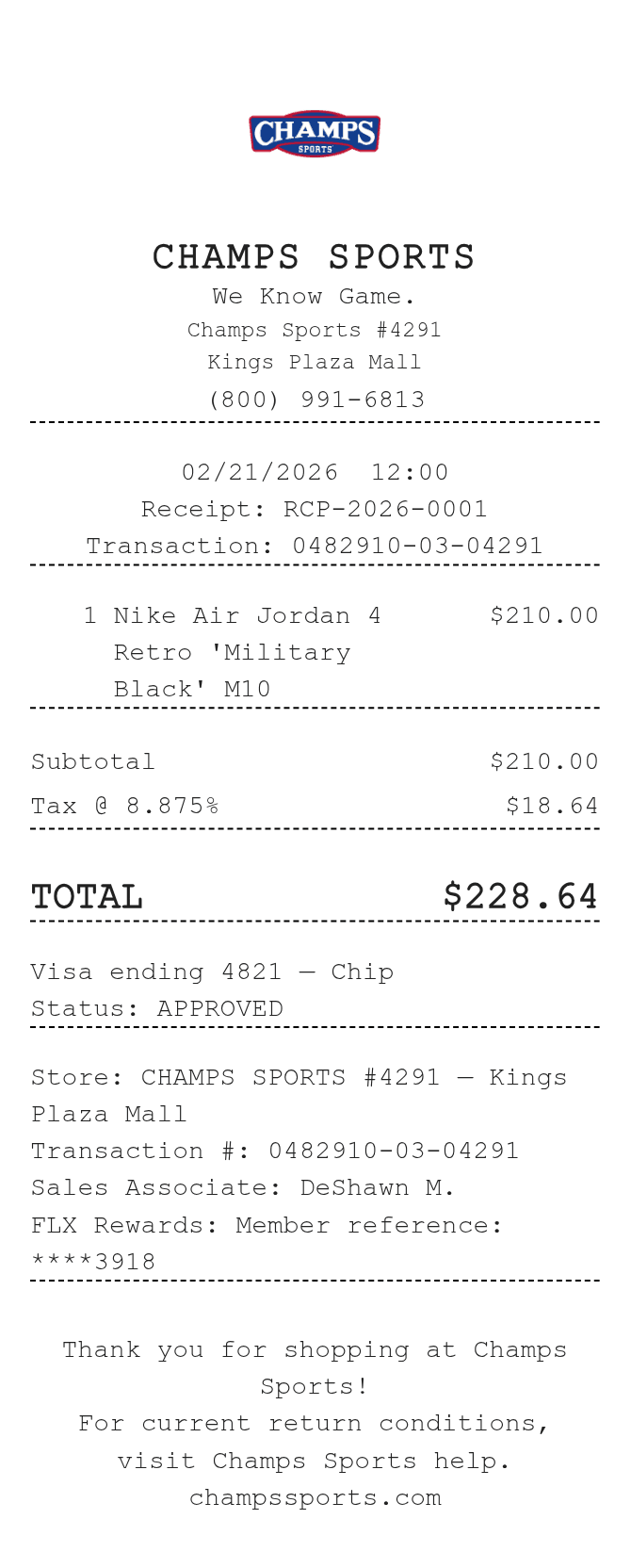
This Champs Sports layout has a compact item list followed by store, transaction, sales-associate and FLX notes. Add a shoe model, color and size to the description to distinguish similar pairs. The amount field is the complete charge for that row, while quantity is displayed separately.
What a Champs Sports receipt decides at the return counter
A Champs Sports receipt is what the store uses to decide how a return is handled. With a valid receipt, unworn merchandise can be refunded or exchanged within 45 days of the original purchase date, and the refund goes back to the original form of payment. Items must be in new condition, in the original boxes and bags, with all original tags and hang-tags. Without a receipt, Champs offers only an exchange at the lowest selling price from the past 60 days, after verification through a phone number and two-factor authentication. If you paid in a store and mail the item back for a refund, the receipt must be included or the return is refused.
Online orders follow the same 45-day window, counted from the original shipment date. FLX Rewards members get free standard shipping and returns, while non-members have a $6.99 return shipping fee deducted from a refund when they use a Ready Returns label. Refunds cover the product cost and tax; original shipping is refunded only for defective or wrong items. Sales tax on shipped orders depends on the destination state, and Champs lists Alaska, Delaware, Montana, New Hampshire and Oregon among the places where it charges none. Tax-exempt customers must request a refund of tax within 90 days of placing the order.
How to find a Champs Sports order or purchase record
For online orders, sign in to your Champs Sports account. Order history shows pending orders, package tracking and details of previous orders for up to nine months, so save or print what you need before then. Keep your order number and any return tracking number, since Champs asks for them if you contact customer care about a return.
For store purchases, keep the paper receipt. FLX Rewards members can show their FLX Rewards ID or give an email address or mobile number at checkout, and points usually post within about three business days, though it can take up to 30 days. Champs customer care is at 1-800-991-6813.
Product and checkout entries
| Section | Details |
|---|---|
| Store | Name, location and store reference |
| Product | Description, displayed quantity and complete line amount |
| Checkout | Transaction number and sales associate |
| Summary | Subtotal, entered tax rate and total |
| Other details | Payment note, optional FLX reference and barcode |
Related receipt guides
Review the amount for every row
- Replace the sample store, transaction and associate details.
- Enter the product and size in the description.
- Set the complete line amount, review tax, and check the payment entry.
- Review or clear the FLX note, then download the preview as PDF or PNG.
FAQs
Official sources
- Champs Sports Help - What's the policy for returns?
- Champs Sports Help - How do I start a return or exchange?
- Champs Sports Help - What's your policy on refunds?
- Champs Sports Help - Price adjustments and price matching
- Champs Sports Help - Tax rates and guidelines
- Champs Sports Help - Account benefits and order history
- Champs Sports Help - FLX points earning and posting