BIG W Receipt Generator
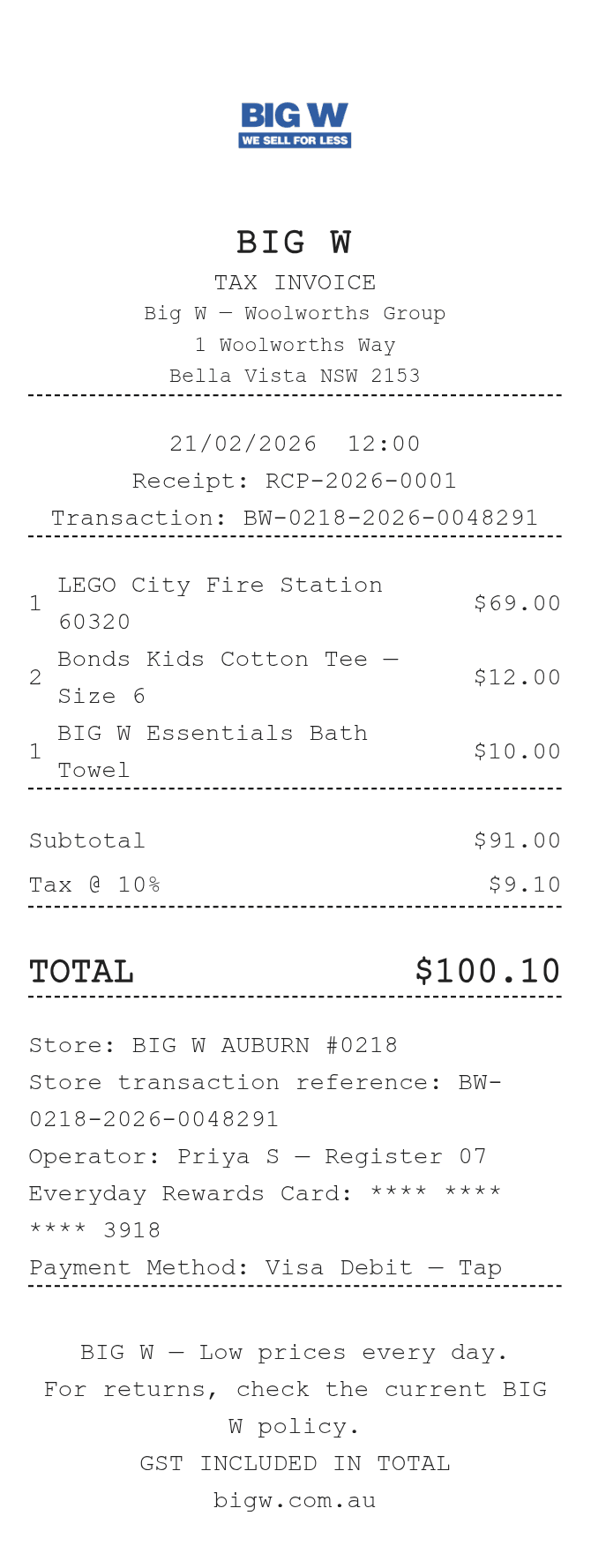
Edit a BIG W purchase in Australian dollars, including product details, store references and an Everyday Rewards note. Check full line amounts and tax before exporting.
Last updated
An Australian layout for a mixed shopping basket
This BIG W template starts with toys, children’s clothing and homewares. The compact layout has product rows above the total, followed by store, operator and membership references. You can replace the sample basket with your own items and keep sizes or product models in their descriptions.
What a BIG W receipt and eReceipt show
When you scan or tap your Everyday Rewards card in a BIG W store, the purchase is saved as an eReceipt in the Everyday Rewards app and online account. Everyday Rewards says eReceipts are tax invoices that show your total purchases and savings, the products bought, eligible charity donations made at the checkout, parking vouchers and special offers. BIG W receipts also show updates to your points balance. Members collect 1 point for every dollar spent at BIG W, in store or online, with no minimum spend. Online, points are collected when paying with PayPal, Afterpay or a credit card, but not with a gift card.
Australian Consumer Law sets the baseline. The ACCC says businesses must give a receipt for anything over $75, and for smaller purchases within 7 days if you ask. A receipt can be a tax invoice, cash register docket, handwritten document or digital receipt, and it must show the business name, ABN or ACN, the product, the date and the price. Consumer guarantees don't cover simple change of mind, but a business that has a change-of-mind policy must follow it. If you return an item bought with Everyday Rewards dollars, BIG W refunds the purchase price under its returns policy but can't refund rewards dollars already used.
How to get a copy of a BIG W receipt
BIG W eReceipts cover in-store shops made from March 2, 2021 onward and stay available for 14 months. Open the Activity tab in the Everyday Rewards app, or go to My Account and then My Activity online, and select the BIG W transaction. To keep a receipt longer, for tax records for example, download each eReceipt as a PDF. eReceipts are not available for BIG W online orders.
If you have no receipt, the ACCC lists other proof of purchase for a repair, replacement or refund: a card statement, a lay-by agreement, an online reference number, a warranty card or a serial number linked to the purchase. Photos or photocopies are acceptable.
The editable purchase details
| Section | Details |
|---|---|
| Products | Description, displayed quantity and complete line amount |
| Store | Branch, operator and store transaction reference |
| Membership | An Everyday Rewards card reference entered as text |
| Payment | Payment-method note and optional card details |
| Amounts | Line amounts summed before the entered tax percentage is added |
Related receipt guides
Check quantities and tax separately
- Replace the sample store and transaction references.
- Enter the full amount for every item row. For multiple units, use their combined amount; quantity does not multiply it.
- Set the tax rate to match the amounts you entered. The editor adds tax, so avoid adding it twice to tax-inclusive prices.
- Review the membership and payment notes, then save the receipt in the format you need.
FAQs
Official sources
- Everyday Rewards - eReceipts
- Everyday Rewards - BIG W partner page
- ACCC - Receipts, bills and proof of purchase
- ACCC - Repair, replace, refund, cancel