Ulta Beauty Receipt Generator
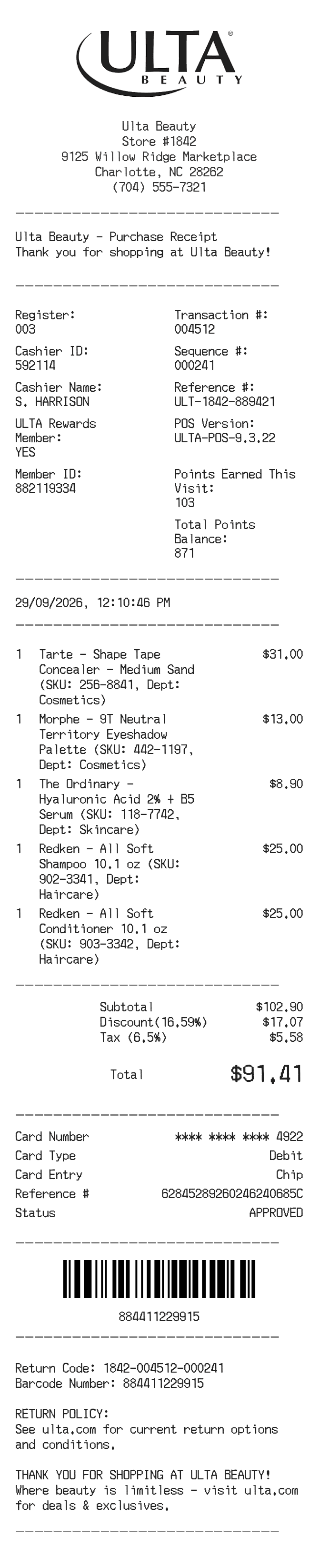
Add makeup, skincare and haircare items with shades or sizes. Review the discount, tax and rewards notes, then save the receipt preview.
Last updated
Keep product amounts separate from rewards notes
This Ulta layout provides an item list for products and a separate information section for the member ID, points earned and points balance. The distinction matters: product edits update the calculated amounts, while rewards entries stay as the text you entered. Descriptions can include shades, sizes and SKUs to distinguish similar items.
Ulta receipts and Ulta Beauty Rewards
Ulta's loyalty program is now called Ulta Beauty Rewards, formerly Ultamate Rewards. Its terms say your points balance, including points from that purchase, appears on the in-store receipt, and the FAQ adds that the receipt shows your next points expiration date. Your Member ID is printed at the bottom of a recent in-store receipt. Members earn more per dollar at Platinum, reached at $500 spent in a calendar year, and Diamond at $1,200, and 100 points are worth $3.
Many guides still quote a 60-day full refund, but Ulta's current policy refunds to the original payment within 30 days of purchase and gives merchandise credit from day 31 to 60. A proof of purchase is required unless Ulta can verify the purchase in its system, and returns need a government-issued physical ID plus a phone number or email. Gift-receipt returns within 60 days get an exchange or merchandise credit.
Lost receipts and salon services
If you lose a receipt but gave your Member ID at checkout, Ulta says the store can look up the purchase. For online orders, the order confirmation email is the receipt for returns. If you forgot to give your Rewards ID, submit a missing-transaction request within 30 days of purchase to get the points.
If you're unhappy with a salon service, contact the store manager within 7 days of the service date and keep the service receipt. Returned purchases have their points deducted, and points can't be used toward tax.
Amounts, references and rewards
| Section | Details |
|---|---|
| Products | Description, quantity and unit price |
| Savings | The discount percentage used for the item total |
| Checkout | Register, cashier, transaction and sequence references |
| Rewards notes | Member ID, earned-points entry and balance entry |
| Footer | Return-code and barcode text, plus your closing note |
Related receipt guides
Check rewards information after editing items
- Enter the store and checkout details for the record.
- Replace each product and review its shade, size, quantity and unit price.
- Set the applicable discount and tax percentages. Review rewards notes separately against the original account information.
- Check payment and footer references, then choose the download format.
FAQs
Official sources
- Ulta Beauty Rewards and receipt help
- Ulta Beauty — Guest services and returns
- Ulta Beauty Rewards — Terms and conditions
- Ulta Beauty Rewards — FAQ