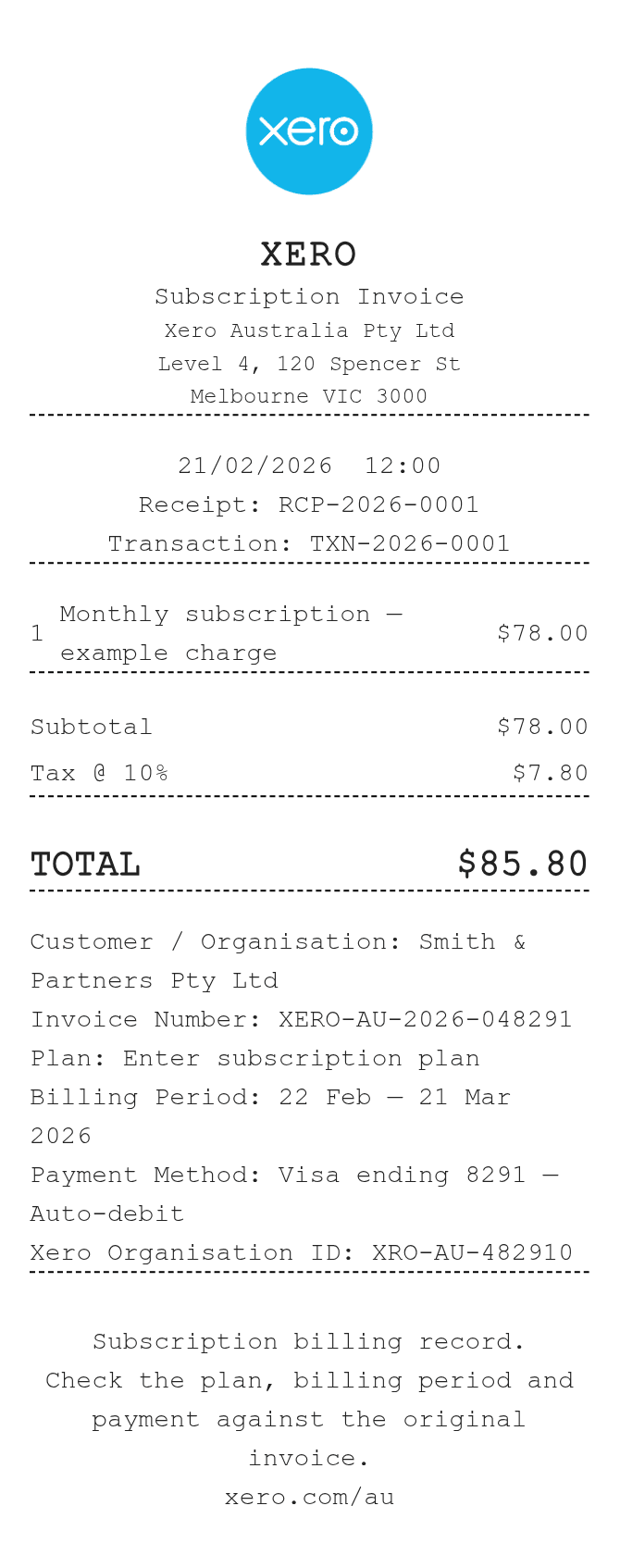
About the Xero Receipt
Xero is cloud-based accounting software used by small businesses to manage invoices, bills, expenses, and bank reconciliation. A Xero receipt typically documents a payment confirmation or expense record generated through the platform. Users recreate or export Xero receipts to provide proof of payment for reimbursements, audits, or bookkeeping records when the original file has been lost or needs reformatting.
Xero in Numbers
Founded in 2006 in Wellington, New Zealand by Rod Drury, Xero serves millions of subscribers globally across more than 180 countries. The platform connects to thousands of third-party apps and financial institutions. Xero is publicly listed on the New Zealand Stock Exchange and has become one of the leading cloud accounting platforms for small and medium-sized businesses.
What Is On a Xero Receipt
| Section | Details |
|---|
| Section | Details |
| Business Header | Company name, logo, address, and contact information |
| Receipt Number | Unique reference number assigned by Xero for tracking |
| Date | Date the payment or transaction was recorded |
| Payer Details | Name and contact information of the customer or vendor |
| Line Items | Description of goods or services, quantity, unit price, and subtotal |
| Tax Information | Tax rate applied (e.g., GST, VAT, or sales tax) and tax amount |
| Total Amount | Subtotal, tax total, and final amount paid |
| Payment Method | How payment was received (bank transfer, card, etc.) |
Using a Xero Receipt
- Xero receipts serve as official proof of payment for expense claims and reimbursements within a business.
- Exported PDF receipts from Xero carry the same validity as printed records for audit and tax purposes.
- If a receipt was deleted or lost in Xero, transaction history can often be recovered through the account activity or bank reconciliation logs.
- Businesses using Xero should ensure receipts include a valid tax breakdown when submitting for GST, VAT, or sales tax compliance.
FAQs
How do I generate a receipt in Xero?
In Xero, navigate to the relevant invoice or payment record, mark it as paid, and then use the Print PDF or Email option to generate a receipt. The document will include your business details, line items, and payment confirmation.
Can I recreate a Xero receipt if I no longer have access to the account?
If you have lost access to the Xero account, you can use a receipt generator like ReceiptEdit to recreate the document using your original transaction details, including date, amount, reference number, and business information.
What receipt number format does Xero use?
Xero assigns reference numbers based on the invoice or bill sequence set up in your organization settings. They typically follow a prefix and number format such as INV-0001 or BILL-0023, which you can customize.
Is a Xero-generated receipt valid for tax purposes?
Yes, a receipt generated through Xero is valid for tax purposes provided it includes the required fields for your jurisdiction, such as business name, tax identification number, tax rate, and itemized amounts. Always verify local requirements.
Related Templates