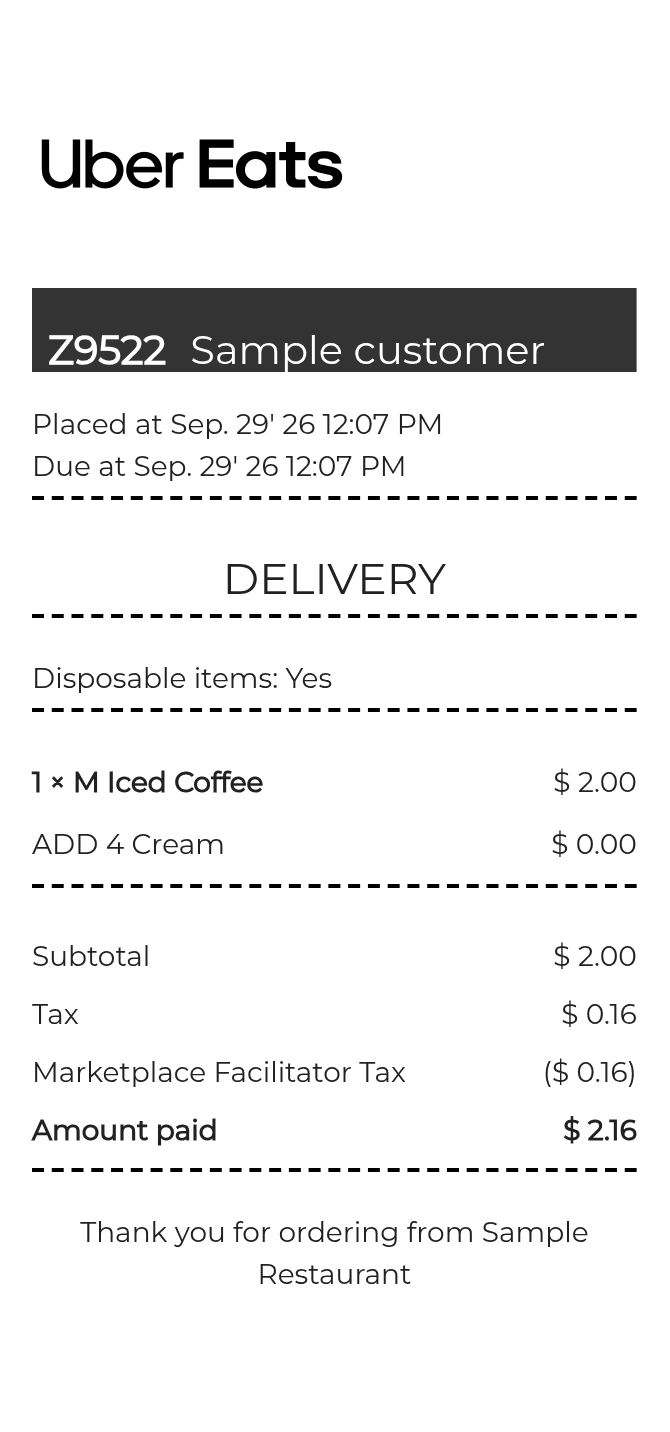
About the Uber Eats Receipt
An Uber Eats receipt documents a food delivery order placed through the Uber Eats app or website. It lists the restaurant, individual items ordered, subtotal, delivery fee, service fee, tips, taxes, and any promotions applied. People recreate one to track business meal expenses, submit reimbursement claims, resolve billing disputes, or replace a receipt that was not saved or emailed after an order.
Uber Eats in Numbers
Uber Eats launched in 2014 as a pilot in Los Angeles before expanding globally. It operates in dozens of countries and partners with hundreds of thousands of restaurants worldwide. The platform processes millions of orders daily and is one of the largest food delivery services in the United States by market share.
What Is On an Uber Eats Receipt
| Section | Details |
|---|
| Section | Details |
| Order header | Uber Eats logo, order date, time, and unique order ID |
| Restaurant info | Restaurant name and location |
| Items ordered | Each menu item name, quantity, customizations, and individual price |
| Subtotal | Combined cost of all food items before fees and taxes |
| Delivery fee | Distance-based or flat fee charged for delivery |
| Uber Eats service fee | Platform fee calculated as a percentage of the subtotal |
| Taxes | Applicable local and state sales tax on food and fees |
| Tip | Tip amount left for the delivery driver |
| Total charged | Final amount billed to the payment method on file |
Using an Uber Eats Receipt
- Uber Eats does not offer traditional returns; refunds or credits are issued through the app if an order is wrong, missing items, or never arrived.
- To request a refund, open the order in the Uber Eats app, select 'Help,' and report the issue within a reasonable time of delivery.
- Receipts are emailed automatically after each order and are also accessible in the app under order history.
- For business expense reimbursements, the emailed PDF receipt is generally accepted as it includes the itemized breakdown, fees, and total charged.
FAQs
How do I find my Uber Eats receipt after an order?
Open the Uber Eats app, tap the account icon, go to 'Orders,' select the order, and tap 'Get receipt.' A copy is also sent automatically to the email address on your account.
What information does an Uber Eats receipt include for expense reports?
The receipt shows the order date, restaurant name, itemized list of food ordered, delivery fee, service fee, taxes, tip, and total charged. This is typically enough detail for business expense submissions.
Can I get a receipt for an Uber Eats order I placed a while ago?
Yes. Uber Eats stores order history in the app and your account email. You can retrieve past receipts through the Orders section of the app or by searching your inbox for the confirmation email Uber Eats sent at the time of the order.
What fields should a recreated Uber Eats receipt include to look accurate?
A recreated receipt should include the order ID, date and time, restaurant name, each item with price and any modifiers, subtotal, delivery fee, service fee, taxes, tip, and total. The Uber Eats header and payment method summary are also standard on genuine receipts.
Related Templates