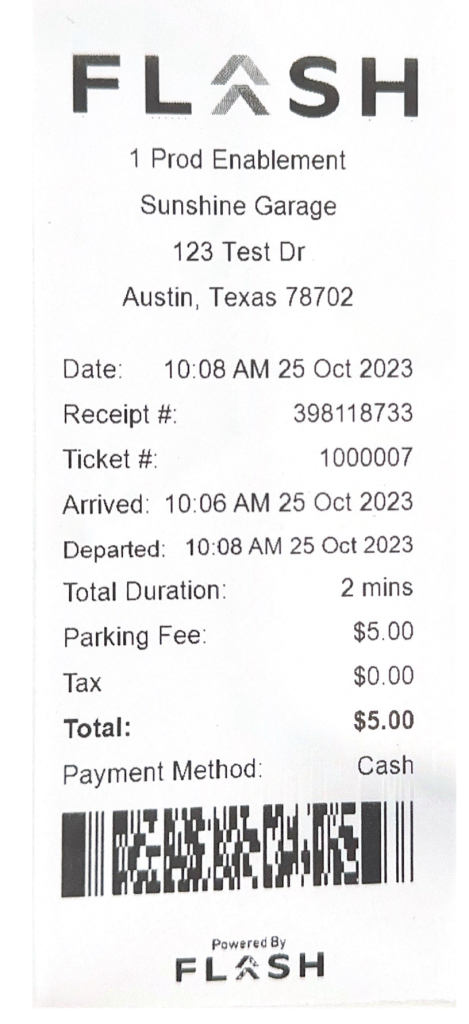
This layout follows the complete printed Sunshine Garage example in Flash’s own receipt documentation. It preserves the actual FLASH header mark and barcode position, with clean text replacing the photographed paper.
EDITOR
Edit your receipt below, then download the same clean layout as PDF or PNG. Enter amounts and totals manually.
The selected receipt lists when the session began and ended, its printed duration, parking fee, tax and total. It also includes the receipt number, ticket number and a PDF417 barcode. These remain separate manual controls.
| Step | Details |
|---|---|
| 1 | Set the garage, address, receipt number and ticket number. |
| 2 | Enter the printed date, arrival, departure and duration. |
| 3 | Fill the fee, tax, total and payment method from the parking record. |
| 4 | Replace the barcode image if needed, then review and export. |
No. Arrival, departure, duration and amounts are entered separately. The fictional example uses a two-hour stay with a $5.00 fee, $0.40 tax and $5.40 paid.
No. It is a separately replaceable image. The example uses a PDF417 image encoding EX-100007; upload a matching image for your own record.
Yes. Flash’s official documentation publishes the selected complete printed receipt alongside late-price and membership examples. The selected document is a product demonstration, not a customer’s purchase.
Flash’s receipt guide describes the receipt lookup form and the parking operator’s receipt options. Use the original parking location and transaction details; this editor cannot retrieve a payment.