Bunnings Receipt Generator
Enter hardware items with quantities, original and discounted unit prices. Review included GST, store references and the payment block before saving your receipt.
Last updated
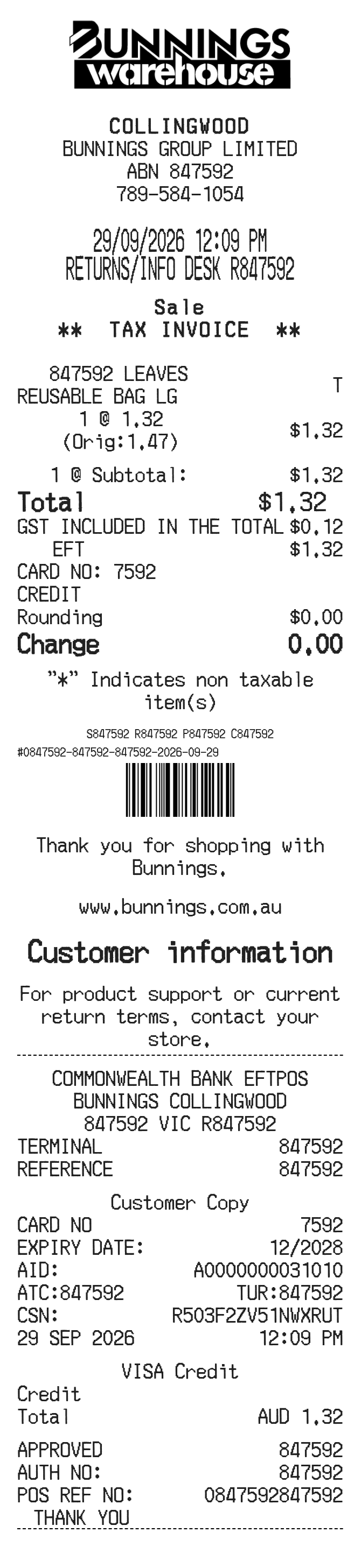
Show the purchase price and included GST
This Bunnings receipt template uses tax-inclusive item prices. A positive Discounted Item Price replaces ITEM PRICE for that row before quantity is applied. The receipt then shows the GST portion within the total, rather than adding GST again.
Bunnings receipts, tax invoices and returns
Under ACCC guidance, Australian businesses must give a receipt for anything over $75, and for smaller purchases must provide one within 7 days if asked. It must show the business name, its ABN or ACN, the product, the supply date and the price. Trade and business buyers usually need a tax invoice to claim GST credits. The ATO says a seller must provide one within 28 days of a request unless the sale is $82.50 or less including GST. Below $1,000 it must show the seller's identity and ABN, the date, items with quantity and price, and the GST amount, or a 'Total price includes GST' statement when GST is exactly one-eleventh.
Bunnings' returns policy sits on top of your Australian Consumer Law rights. Returns are shown to the door greeter on entry and handled at the Returns and Exchanges Desk. Change-of-mind items must be unused, in original packaging and saleable, and receipts and tax invoices must be valid and intact. Refunds go to the payment method on the original receipt. Without a receipt or the card you paid with, Bunnings records proof of identity, such as a driver's license. Custom-made items, products cut to size, tinted paint, and toilet seats or portable toilets with opened packaging aren't accepted for change of mind. Account customers need a copy of the original invoice for an account credit.
How to keep or replace a Bunnings receipt
You can ask for a digital Bunnings receipt at checkout, sent by SMS or email. A Bunnings team member explains on the Workshop community that if you have a website account, you can then sign in, open My Account and choose Store receipts to search the receipts you asked to have sent digitally. Paper thermal receipts fade with heat, light and moisture, so a clear photo that shows the barcode is a useful backup.
Online orders can be returned in store with the tax invoice. If a receipt is lost, the ACCC says a card statement, a phone or online reference number, or a serial number linked to the purchase can also serve as proof.
Store and EFTPOS details
| Section | Details |
|---|---|
| Store | Company, location, store number, ABN and contact |
| Items | Product ID, description, quantity and unit prices |
| GST | Entered rate with non-taxable item markers |
| Checkout | Transaction type, register, cashier and receipt number |
| Payment | Payment selection and editable EFTPOS references |
Related receipt guides
Check the selling price for each row
- Replace the example store and checkout information.
- Enter the quantity and original price, adding a discounted unit price only when needed.
- Choose each item’s tax type and review the included GST amount.
- Check the payment selection, rounding and bank reference details before export.
FAQs
Sources and references
- Bunnings - Returns policy
- Bunnings Workshop - How to store Bunnings receipts (team member answer)
- ACCC - Receipts, bills, proof of purchase
- ATO - Tax invoices