Supermarket Receipt Generator
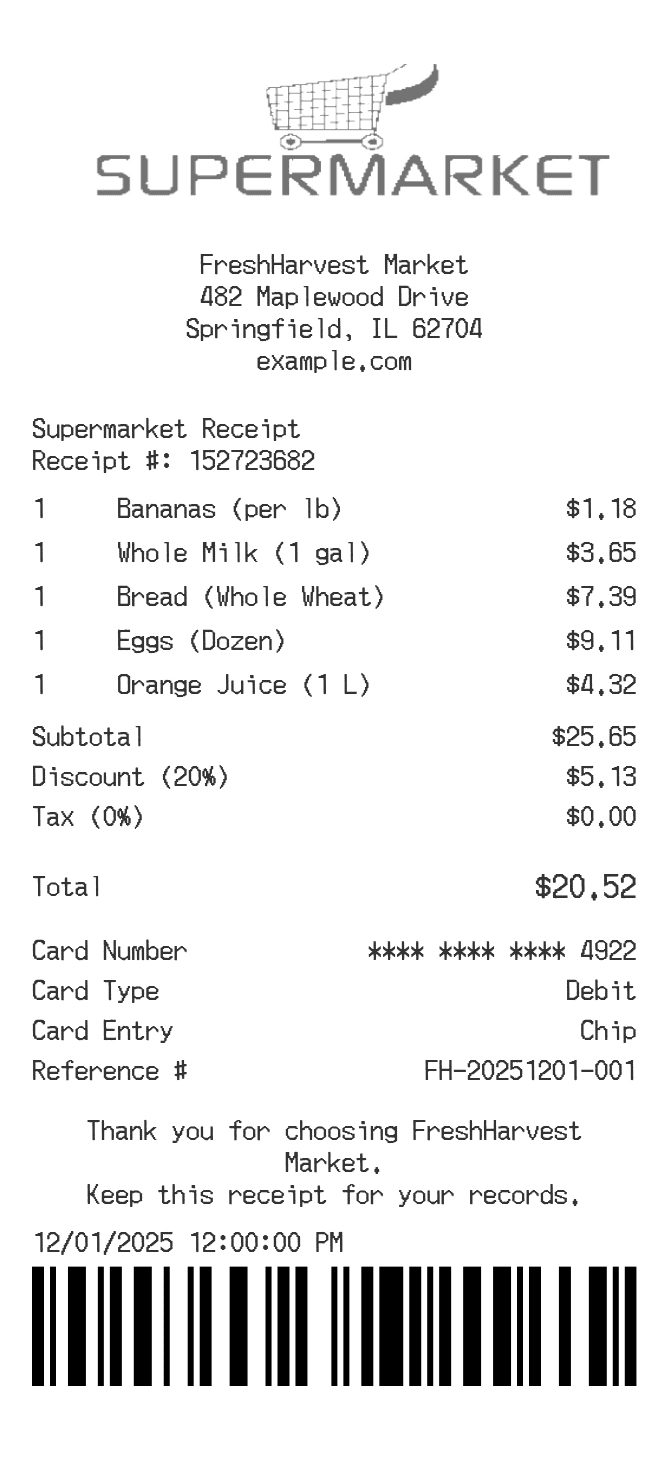
Build a grocery receipt with your store details, item quantities and unit prices. Arrange the sections and review the basket discount, tax and payment information.
Last updated
Choose the order of the receipt sections
This supermarket template uses movable sections for the header, item list, payment, date and closing message. Start with the store details, then make the basket readable with product names, pack sizes and quantities. You can keep the receipt short or add information sections when the purchase needs more context.
What a supermarket receipt records
A supermarket receipt is the itemized record of a grocery trip: each product with its price, any coupons or loyalty discounts, the subtotal, tax, total and how you paid. Because tax and benefit rules can differ from one item to the next, some grocers flag individual lines. ShopRite, for example, prints a code beside each item showing whether it is SNAP eligible, taxable, sold by weight or a qualified health care item for an HSA. Flags like these make it easier to check that tax was charged only where it should be, and to pick out items you may later claim from a health account.
Federal rules also shape how SNAP purchases appear. Under 7 CFR 272.1, a state cannot take part in SNAP if state or local sales taxes or other taxes or fees are collected on purchases made with SNAP benefits. When the groceries cost more than the benefits presented, only the portion paid with SNAP has to be tax-exempt, so a mixed-payment receipt can show tax on part of the basket. Under the federal definition in 7 CFR 271.2, eligible foods include any food or food product for human consumption except alcoholic beverages, tobacco and hot foods prepared for immediate consumption.
Using grocery receipts for HSA and FSA claims
Supermarkets sell many items that health accounts cover. IRS Publication 969 for 2025 says amounts paid for menstrual care products are treated as medical care for HSAs, and that for health FSAs, over-the-counter medicine, prescribed or not, and menstrual care products are covered expenses. Keep the itemized receipt, since a card slip showing only the total doesn't prove which products you bought.
If a paper receipt goes missing, check whether the store offers digital receipts through its loyalty account. ShopRite, for example, emails digital receipts within one hour of purchase to Price Plus members who opt in.
Sections you can work with
| Section | Details |
|---|---|
| Header | Logo, business name and address |
| Items | Quantity, description and unit price |
| Totals | Subtotal, percentage discount and tax |
| Payment | Editable method and reference lines |
| Closing details | Date, message and optional barcode |
Related receipt guides
Set up the layout around the purchase
- Replace the example store name and contact details.
- Enter quantities and unit prices for the groceries.
- Check the discount and tax percentages.
- Arrange the sections, review the preview and save PDF or PNG.
FAQs
Official sources
- eCFR - 7 CFR 272.1, no sales taxes on SNAP purchases
- eCFR - 7 CFR 271.2, definition of eligible foods
- IRS - Publication 969 (2025), Health Savings Accounts and Other Tax-Favored Health Plans
- ShopRite - Digital Receipts FAQ