Save-a-Lot Receipt Generator
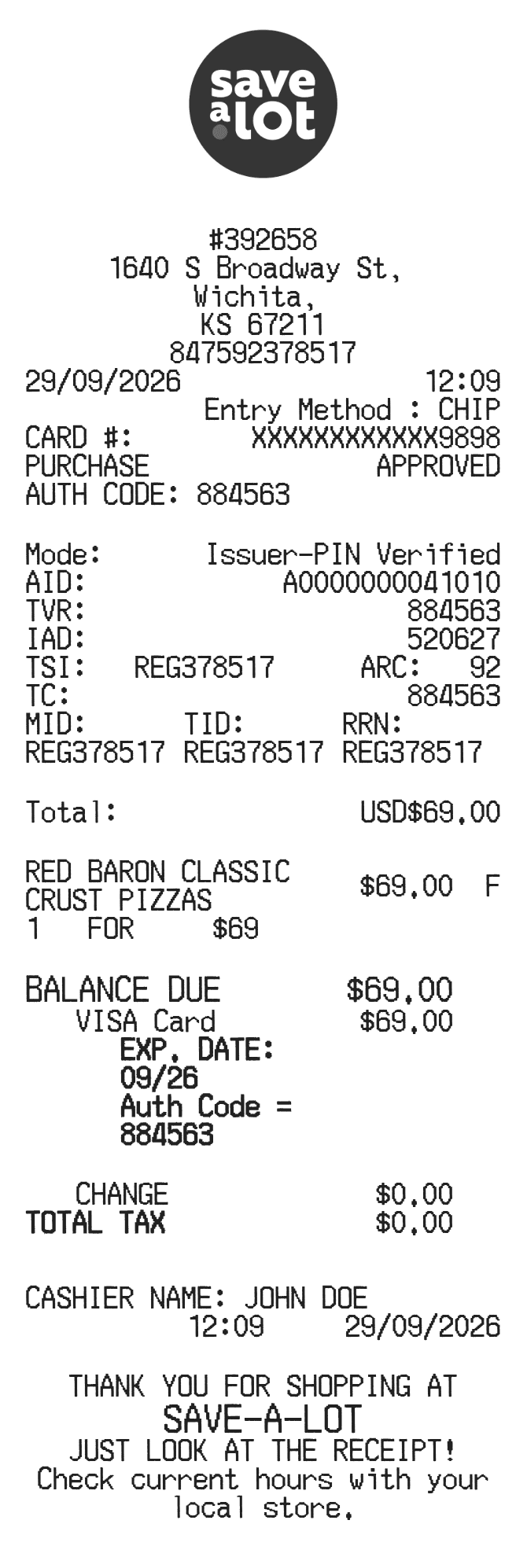
List groceries with quantities, amounts and F or T tax selections. Add store, cashier and payment references, then review the tax and final balance.
Last updated
Select which grocery rows receive tax
Save-a-Lot’s item editor uses a tax selection for each row. T includes that row in the entered tax percentage; F leaves it out. The receipt also has a detailed payment-reference block with fields such as AID, terminal ID and retrieval reference, all entered manually.
What a Save A Lot receipt backs up
A Save A Lot receipt is the record behind the chain's freshness promise. Save A Lot says it stands by a 100% Money Back Guarantee: if you are unhappy with the freshness or quality of one of its items, the store will replace the item or provide a refund. For a problem with a packaged product, the Quality Concern page explains where to find the J Code, printed just above the barcode on the back and usually a J followed by six numbers, and the UPC printed below the barcode. Save A Lot brand UPCs start with 51933. You then report the issue through the Contact Us form so the Products team can follow up.
Tax lines on a grocery receipt depend on the state and on how you pay. Federal SNAP rules bar state and local sales tax on eligible food bought with SNAP benefits. When a basket is paid partly with SNAP and partly with cash, only the part paid with benefits has to be tax-exempt, and stores in areas that tax some foods may not apply benefits to untaxed items first in a way that pushes tax onto SNAP shoppers. Save A Lot also accepts some health-plan benefit cards for nutritious foods at participating stores, and its Healthy Benefits page lets you search by city, state or ZIP code to see which ones a store takes.
Keeping Save A Lot receipts and Rewards records
You can join Save A Lot Rewards through the Save A Lot app. Under the program terms last modified April 15, 2026, members earn one Dot per dollar spent on eligible merchandise, counted after discounts and before fees and tax. Tobacco, alcohol, prepaid gift cards, cellphones, Save A Lot gift cards and bag fees earn no Dots, and Dots expire nine months after they are earned.
Returns change your balance. If you return a purchase, your Dots are reduced based on the purchase price, and Rewards used on a returned item are not reinstated. Keep the paper receipt for anything you might bring back, and note the J Code or UPC before you throw away the package if you plan to report a quality issue.
Item and payment controls
| Section | Details |
|---|---|
| Store | Address, telephone, store number and cashier |
| Items | Quantity, description, amount and tax selection |
| Tax | Entered rate applied to T rows |
| Payment | Method, entry type, card ending and authorization |
| References | Terminal, merchant, AID and transaction fields |
Related receipt guides
Review tax selections with the item list
- Replace the branch and cashier details.
- Enter quantities and per-unit amounts.
- Select F or T deliberately and check the tax rate.
- Review the payment references before exporting.
FAQs
Official sources
- Save A Lot - About Us (Our Guarantee)
- Save A Lot - Quality Concern: J Code and UPC Help
- Save A Lot - Loyalty Program Terms and Conditions (modified April 15, 2026)
- Save A Lot - Healthy Benefits
- eCFR - 7 CFR 272.1(b), no sales taxes on SNAP purchases