No Frills Receipt Generator
List the groceries with their complete row charges and update store and cashier details. Review the tax setting, payment references and optional PC Optimum text.
Last updated
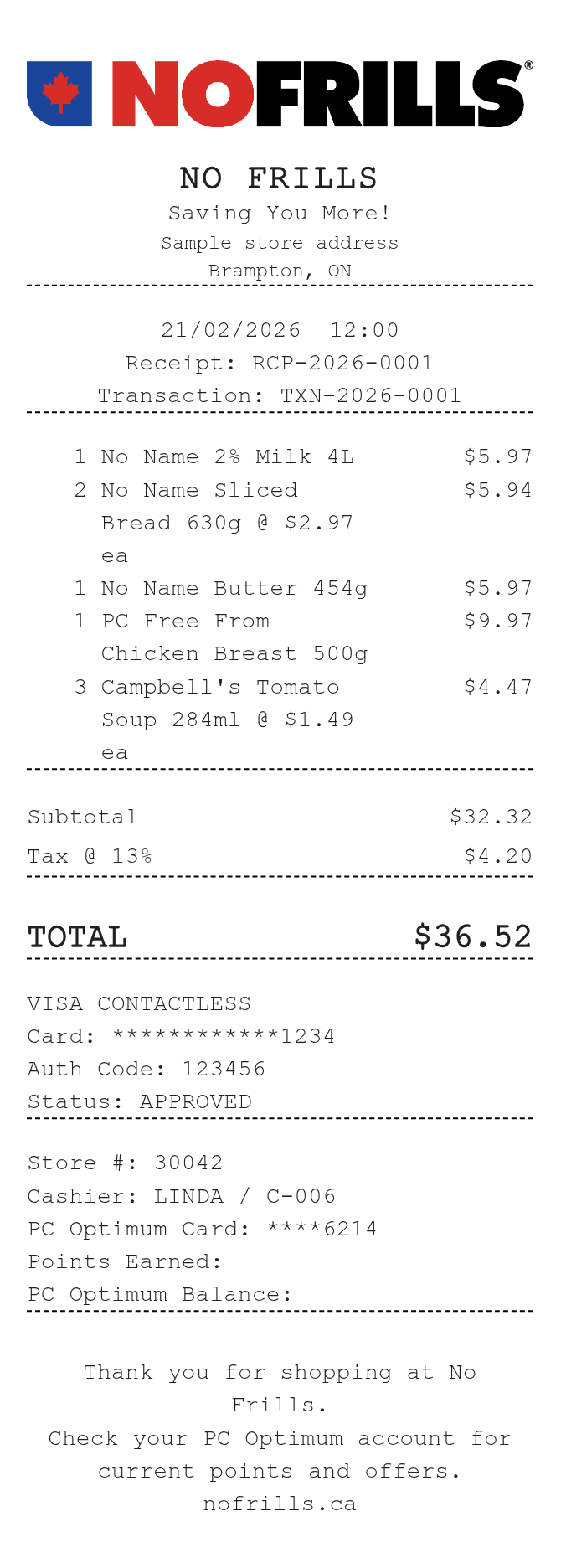
Show what each pack or group of items costs
The No Frills example includes multipacks and repeated items. The description can state a unit price, but Line amount must contain the full charge for the displayed quantity. This is useful when you want the receipt to explain both the item count and the amount actually recorded.
Returns and taxes on a No Frills receipt
No Frills' posted return policy, last updated June 1, 2026, depends on the original receipt. With it, merchandise can be returned for an exchange or refund within 14 days of purchase with original tags and packaging, and only exchanged after 14 days. Without it, an exchange may be offered for product in its original package, and photo ID may be required. Under the Try It You'll Love It Guarantee, President's Choice and no name food products can be returned with the receipt or original package. Gift cards, tobacco, lottery and clearance items are final sale.
Most groceries carry no sales tax. The CRA says basic groceries are zero-rated for GST/HST, while carbonated beverages, candies and confectionery, and snack foods such as chips are taxable. On a No Frills receipt, that means taxable items are often only a few lines. The CRA rate table lists 13% HST in Ontario, 14% in Nova Scotia, 15% in New Brunswick, Newfoundland and Labrador and Prince Edward Island, and 5% GST elsewhere, with PST added in British Columbia, Manitoba, Saskatchewan and Quebec.
Tracking PC Optimum points from a No Frills receipt
Your PC Optimum points balance is printed on your receipt each time you shop with your PC Optimum card, and it also appears in the PC Optimum app, at pcoptimum.ca and in your PC Express account. The balance normally updates within 24 hours of a transaction made with the PC Optimum card.
If points are missing from an in-store purchase, open the Points section of the PC Optimum app, select the transaction and choose Points Inquiry, or use Points Inquiry under Account at pcoptimum.ca. Keep the paper receipt until the points post.
Details in this shopping layout
| Section | Details |
|---|---|
| Store | Branch details and registration reference |
| Purchase | Date, time, receipt and transaction numbers |
| Groceries | Description, displayed quantity and full row amount |
| Totals | Subtotal and one manually entered tax percentage |
| Membership | Optional PC Optimum card and points text |
Related receipt guides
Check the charge before adding membership notes
- Replace the branch and cashier references.
- Enter complete row amounts for packs or repeated items.
- Review the tax percentage and final amount.
- Leave unneeded points fields blank and check the closing message.
FAQs
Official sources
- No Frills Help Centre - What is your Return Policy?
- No Frills Help Centre - PC Optimum help topics
- No Frills Help Centre - When is the full amount of my order charged?
- No Frills Help Centre - How long does it take to get a refund?
- CRA - GST/HST Memorandum 4-3, Basic Groceries
- CRA - GST/HST and PST rates by province