About the T-Mobile Receipt
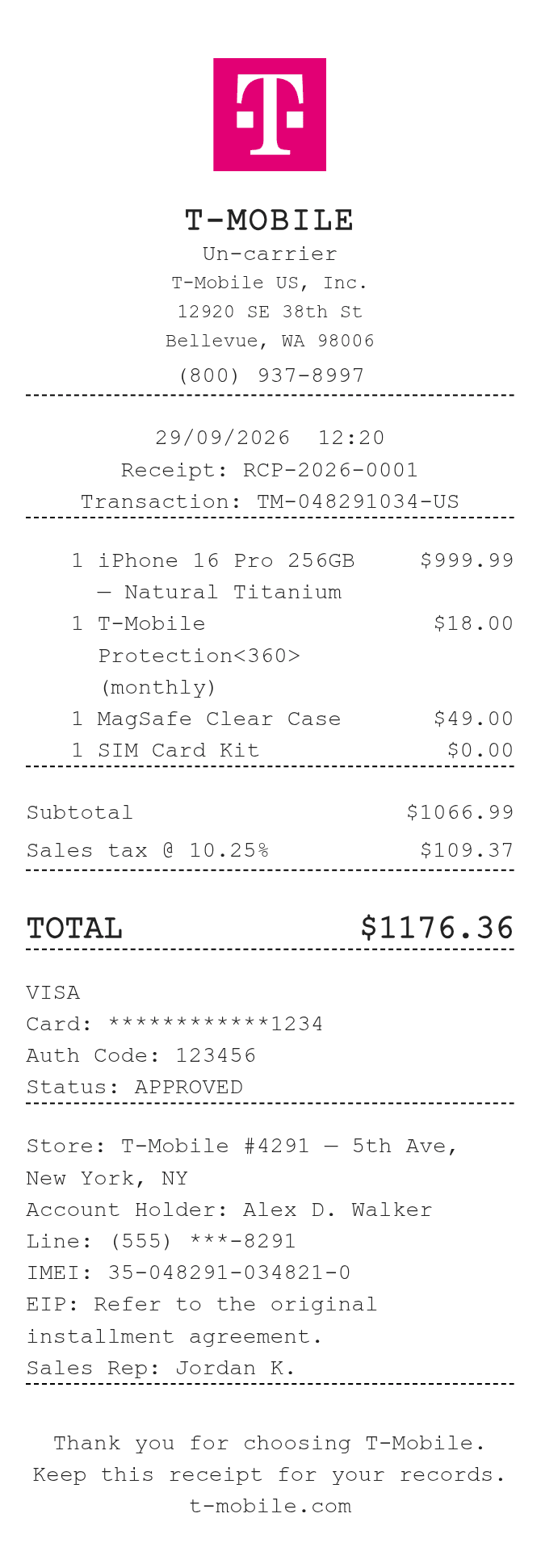
T-Mobile receipts document purchases made in-store or online, including new devices, accessories, plan upgrades, and trade-in credits. They serve as proof of payment for equipment installment agreements, activation fees, and down payments. Customers commonly need to recreate or reference a T-Mobile receipt for expense reimbursement, insurance claims, device financing records, or warranty service when the original is lost or unavailable.
T-Mobile in Numbers
T-Mobile US launched as a national carrier in 2002 and is headquartered in Bellevue, Washington. Its 2020 merger with Sprint created the second-largest wireless carrier in the United States. T-Mobile operates thousands of retail stores nationwide and serves over 100 million customers across its postpaid, prepaid, and business lines.
What Is On a T-Mobile Receipt
| Section | Details |
|---|
| Section | Details |
| Store Header | T-Mobile store name, address, phone number, and store code |
| Transaction Info | Date, time, transaction ID, and sales representative name |
| Customer Info | Account holder name and account number (partial) |
| Items / Services | Device name, SKU or IMEI, accessories, plan description, and individual prices |
| Promotions & Credits | Trade-in credits, promotional discounts, and bill credits applied |
| Fees | Activation fee, upgrade fee, and applicable taxes |
| Payment Summary | Subtotal, tax, total due, and payment method (card type and last 4 digits) |
| EIP / Financing | Equipment Installment Plan details including down payment and monthly installment amount |
T-Mobile Return Policy Basics
- Devices purchased in-store or online can be returned within 20 days of purchase (some plans and regions may vary).
- The original receipt or order confirmation is required to process a return or exchange.
- Returned devices must be in like-new condition with original packaging and accessories included.
- Restocking fees may apply for returned devices depending on the purchase type and account standing.
FAQs
How do I get a copy of my T-Mobile receipt?
Log in to your T-Mobile account at t-mobile.com or the T-Mobile app, navigate to billing or order history, and download a PDF of past transactions. In-store purchases may require you to contact the store directly or call T-Mobile customer service.
What information do I need to recreate a T-Mobile receipt?
You will need the purchase date, store location, device name and IMEI, itemized charges (device price, activation fee, taxes), transaction ID, and payment method. These details can usually be found in your account order history or a confirmation email.
Can I use a T-Mobile receipt for a warranty or insurance claim?
Yes. Proof of purchase showing the device, purchase date, and price is typically required for manufacturer warranty claims or Assurant/INSURANCE claims. A receipt or order confirmation email is generally accepted.
Does a T-Mobile receipt show the full IMEI number?
Printed in-store receipts often include the full or partial IMEI. If you need the complete IMEI, you can also find it in your T-Mobile account under device details, or by dialing *#06# on the device.
Related Templates