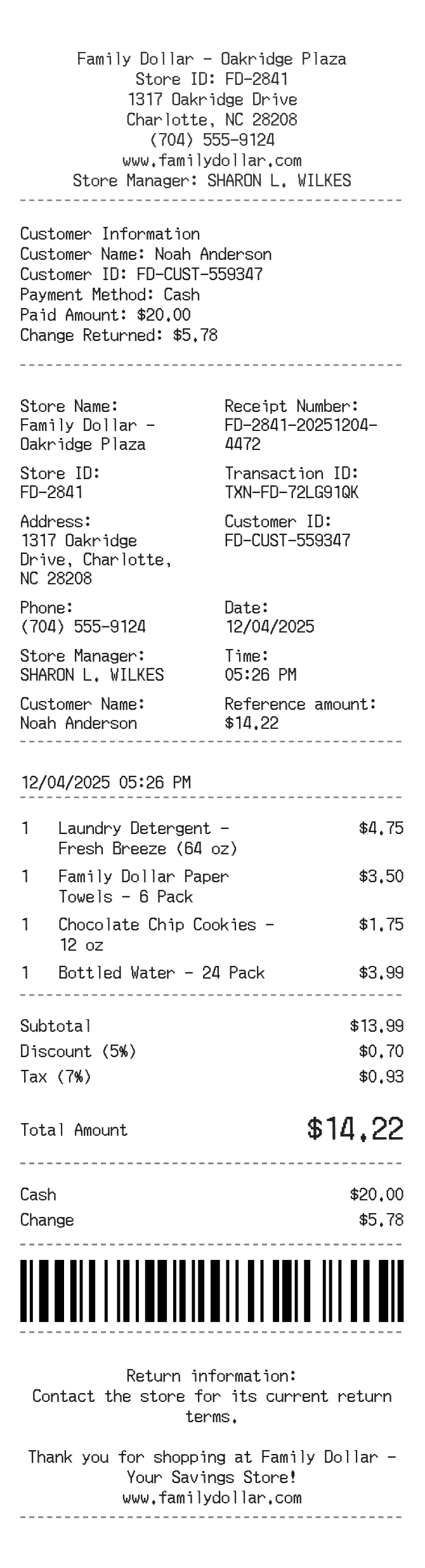
About the Family Dollar Receipt
Family Dollar receipts document purchases from one of the largest discount retail chains in the US, covering household goods, cleaning supplies, food, health products, and seasonal items. Shoppers recreate these receipts to track small cash purchases, support expense reports, document gift purchases, or replace lost proof of purchase needed for returns or rebates at their local store.
Family Dollar in Numbers
Family Dollar was founded in 1959 by Leon Levine in Charlotte, North Carolina. The chain grew to over 8,000 stores across the US before being acquired by Dollar Tree in 2015. It targets budget-conscious shoppers in urban and rural communities, operating smaller-format stores stocked with everyday essentials priced at or below $10.
What Is On a Family Dollar Receipt
| Section | Details |
|---|
| Section | Details |
| Store Header | Family Dollar logo, store address, city, state, zip, and phone number |
| Transaction Info | Date, time, register number, and cashier or transaction ID |
| Line Items | Product description, quantity, unit price, and any sale or coupon discount applied |
| Tax | Taxable subtotal and state/local sales tax amount, listed separately by applicable tax rate |
| Subtotal and Total | Pre-tax subtotal, tax, and final total charged |
| Payment Method | Tender type (cash, debit, credit, EBT), amount tendered, and change due |
| Savings Summary | Total savings from Smart Coupons or in-store promotions if applicable |
| Survey or Footer | Customer satisfaction survey URL or code, store number, and return policy reminder |
Family Dollar Return Policy Basics
- Most unopened items can be returned within 30 days of purchase with a receipt for a full refund or exchange.
- Without a receipt, returns may be accepted at manager discretion for store credit only.
- Consumable products, seasonal items, and certain health or beauty items may be final sale.
- Refunds are typically issued in the original payment form; cash refunds may be limited for card purchases.
FAQs
Can I get a duplicate receipt from Family Dollar?
Family Dollar does not offer a self-service receipt lookup portal. If you paid with a debit or credit card, your bank statement can serve as proof of purchase. Otherwise, contact the store directly with the date and approximate purchase amount โ a manager may be able to reprint from the register logs.
What information do I need to recreate a Family Dollar receipt?
You will need the store address and phone number, purchase date and time, itemized product list with prices, applicable tax rate for that location, payment method, and any discounts applied. The store number printed on the original receipt is also useful for return purposes.
Does Family Dollar offer digital or email receipts?
Family Dollar does not currently offer email or digital receipts at checkout. All receipts are printed at the register. The Family Dollar Smart Coupons app can track some transaction history if coupons were applied through the app at time of purchase.
What tax codes appear on a Family Dollar receipt?
Family Dollar receipts typically show a tax indicator next to each taxable line item and then list the total tax charged at the bottom. The exact codes and rates vary by state, since grocery staples and health items may be exempt from sales tax in some states while general merchandise is taxed.
Related Templates