Album Receipt Template
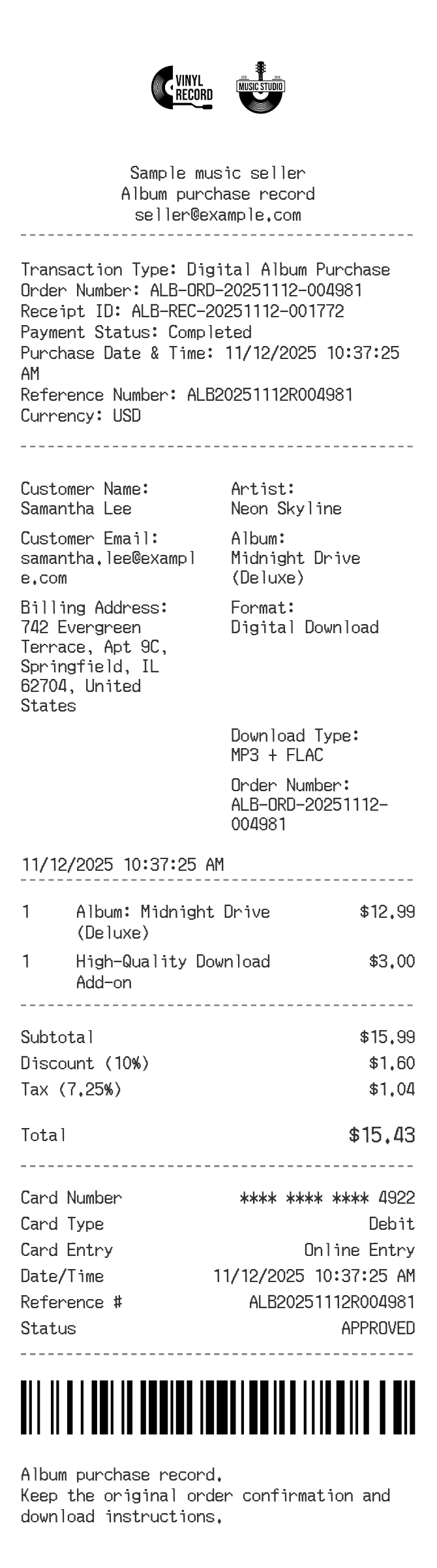
Record an album purchase with the artist, title and format, then edit the charges and payment details. Download the finished receipt as a PDF or PNG.
Last updated
Describe the music purchase clearly
This layout records an album purchase, with separate fields for the artist, album title, format and download type. Use the item list for the album and any separately charged extras. It is a purchase record, rather than a playlist graphic or a service that supplies music files.
What an album purchase receipt should record
A clear album receipt names the seller, the date, the artist and album title, the format, the quantity and the price, with any tax shown separately. Format matters more than it looks, because states can tax digital and physical music differently. Washington's Department of Revenue, for example, applies sales or use tax to downloaded digital goods such as music and movies and to streamed digital goods, and says it does not matter whether the buyer gets a permanent or nonpermanent right of use. A business that buys a digital good for business purposes is exempt from Washington sales tax on that purchase, so the receipt helps show what was bought and why.
Digital music stores keep their own purchase records. Bandcamp emails a receipt after checkout, and the download links in that receipt keep working. Bandcamp says your downloads are always available from the Purchases page, the receipt link or your collection. Apple lists App Store, iTunes Store and other Apple media purchases in Purchase History, which defaults to the last 90 days and can be filtered to show older items. For a vinyl or CD bought in a shop, the store's printed receipt or order confirmation is the record.
How to get a copy of an album receipt
On Bandcamp, log in to your fan account, open Purchases and resend the receipt to any email address linked to the account. If the receipt went to an address you can no longer use, Bandcamp asks you to contact it with that address and the item you bought. For Apple purchases, sign in at reportaproblem.apple.com to see your list of purchases.
If a Bandcamp receipt never arrived, check your spam folder and any alternate email or name you may have used at checkout, and add Bandcamp's no-reply address to your safe senders. For a physical album bought online, keep the seller's order confirmation.
Keep the format beside the album details
| Section | Details |
|---|---|
| Seller | Replace the sample business and contact details. |
| Album information | Enter the title and artist in the two-column section. |
| Format | Describe the purchase, such as a digital download or a physical album. |
| Charges | Use quantity and unit price for the album and each extra. |
| Order | Match the order reference, customer and payment information. |
Related receipt guides
Check extras and percentage adjustments
- Keep a separately priced download add-on on its own row so it is not counted in the album price twice.
- The summary applies a percentage discount before calculating tax on the discounted subtotal. Enter adjustments from your purchase record.
FAQs
Official sources
- Bandcamp - Where's my receipt email or download link?
- Bandcamp - Can I re-download my purchases?
- Apple Support - View your purchase history
- Washington Department of Revenue - Digital products including digital goods