📝Editor
👁️Live Preview
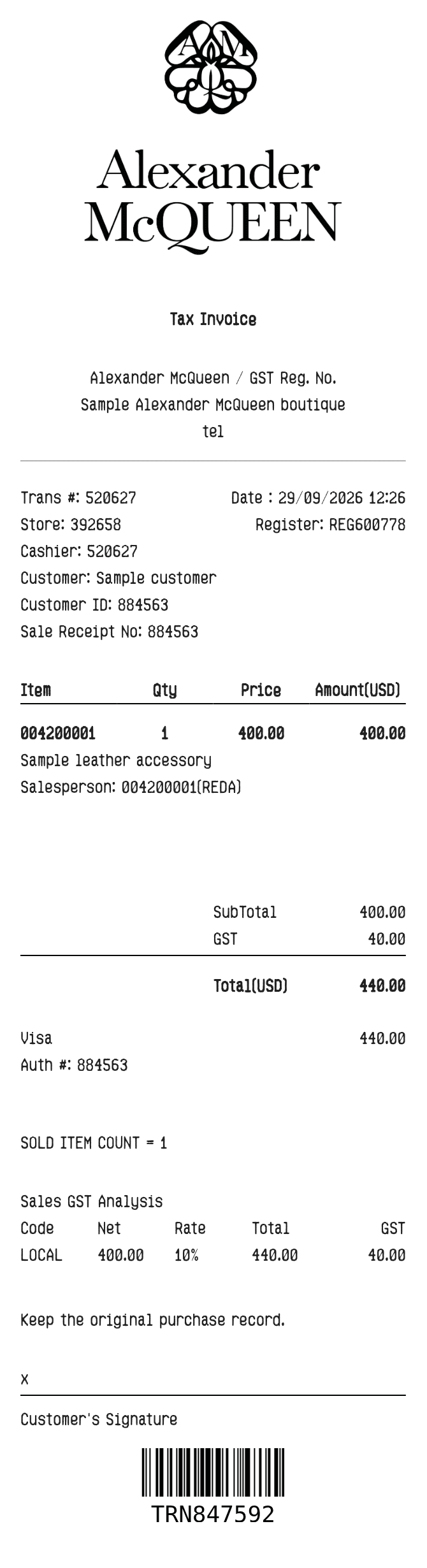
Add the boutique, customer and item details. Enter a quantity and unit price for each purchase, then check the calculated amounts in the preview.
The Alexander McQueen layout keeps the product description, item code and salesperson together. Customer and transaction references appear above the item table, with a separate tax breakdown below the total. Start with the details from your purchase record; the prefilled numbers are examples.
| Section | Details |
|---|---|
| Boutique | Edit the store name, address, telephone and store number. |
| Customer | Use the customer name and ID fields for the purchaser reference. |
| Product | Enter the description, item code, salesperson, quantity and unit price. The line amount is calculated. |
| Tax | Set the percentage to calculate tax on the item subtotal. |
| Payment | Choose the payment type and review the payment and barcode details before export. |