Ray-Ban Receipt Generator
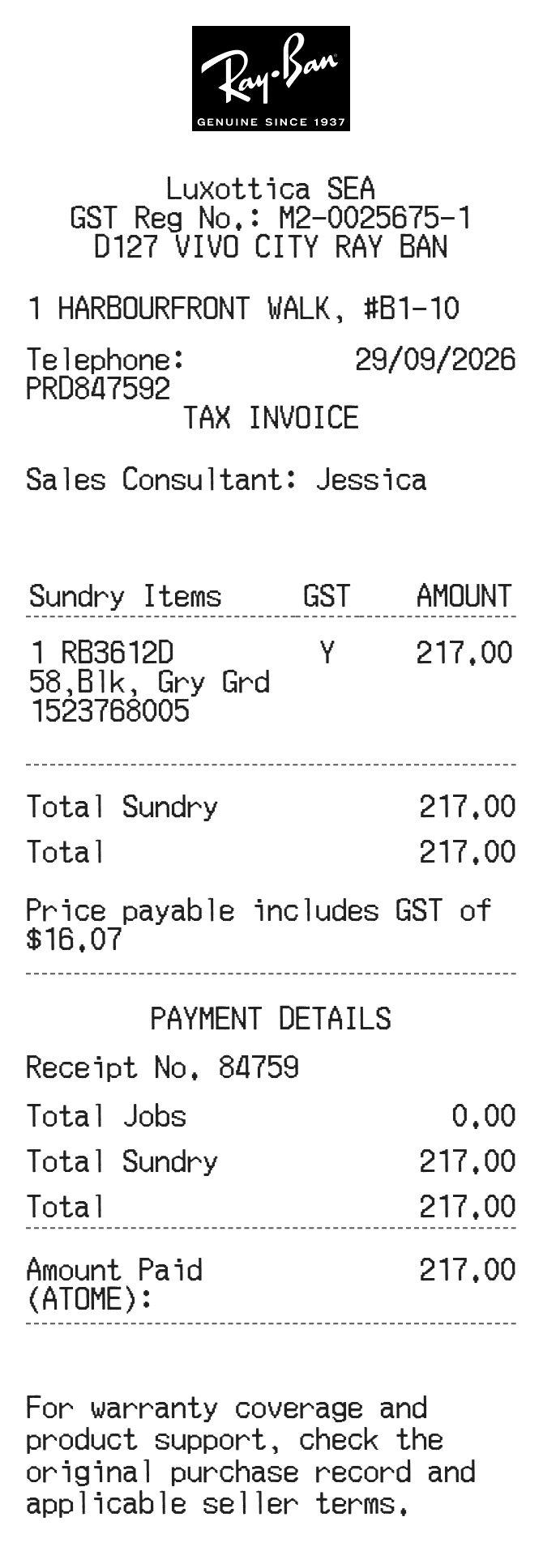
Record frame or lens details using product ID, size, color and SKU fields. Enter full item charges, any included tax and additional job amount, then review the payment summary.
Last updated
Describe the eyewear and disclose included tax separately
The Ray-Ban layout groups product ID, size, color, description and SKU for each item. Its amount field holds the full row charge. The Tax Amount field is a separate disclosure of tax already included in that charge, while Total Jobs adds a separate amount in the payment section.
Ray-Ban receipts and proof of purchase
For Ray-Ban.com orders, Ray-Ban says the packing slip sent with your shipment serves as your receipt, and for gift orders the price is hidden. If you bought from an authorized Ray-Ban dealer, that dealer's receipt is your proof of purchase. Online checkout shows an estimated sales tax, and the actual tax is charged when the order ships, so the final amount can differ slightly.
Proof of purchase matters for the Luxottica limited warranty, which covers manufacturing defects for 24 months from purchase; for store purchases you return to the original retailer with proof of purchase, which is mandatory. Prescription Ray-Bans can also be claimed from vision insurance by printing your receipt and sending it to your provider, and prescription eyewear is generally eligible for FSA and HSA funds with an itemized receipt.
Getting a copy of a Ray-Ban receipt
Ray-Ban.com orders are in your account and the order confirmation email. For purchases made in a store or from another retailer, Ray-Ban suggests contacting that store directly for a copy.
Eyewear, store and payment details
| Section | Details |
|---|---|
| Seller | Company, registration, store, address and telephone |
| Sale | Invoice heading, date, sales consultant and receipt number |
| Eyewear | Quantity, product ID, size, color, description, SKU and tax code |
| Amounts | Full row charge, included-tax amount and optional job charge |
| Payment | Method and total payable with editable warranty notes |
Related receipt guides
Check the two amount summaries
- Replace company, store and sale references.
- Enter the eyewear details and complete amount for each row.
- Review included tax and any additional Total Jobs amount.
- Compare the item summary with the payment total, review warranty notes and export.
FAQs
Official sources
- Ray-Ban guidance on proof of purchase
- Ray-Ban US — Warranty
- Ray-Ban US — FAQ
- Ray-Ban US — Sales tax and proof of purchase
- IRS — Publication 502