BAPE Receipt Generator
Enter the product ID, size, quantity and unit price for each piece. Check the ticket, sales representative and tax details before downloading.
Last updated
Show sizes and quantities on separate item rows
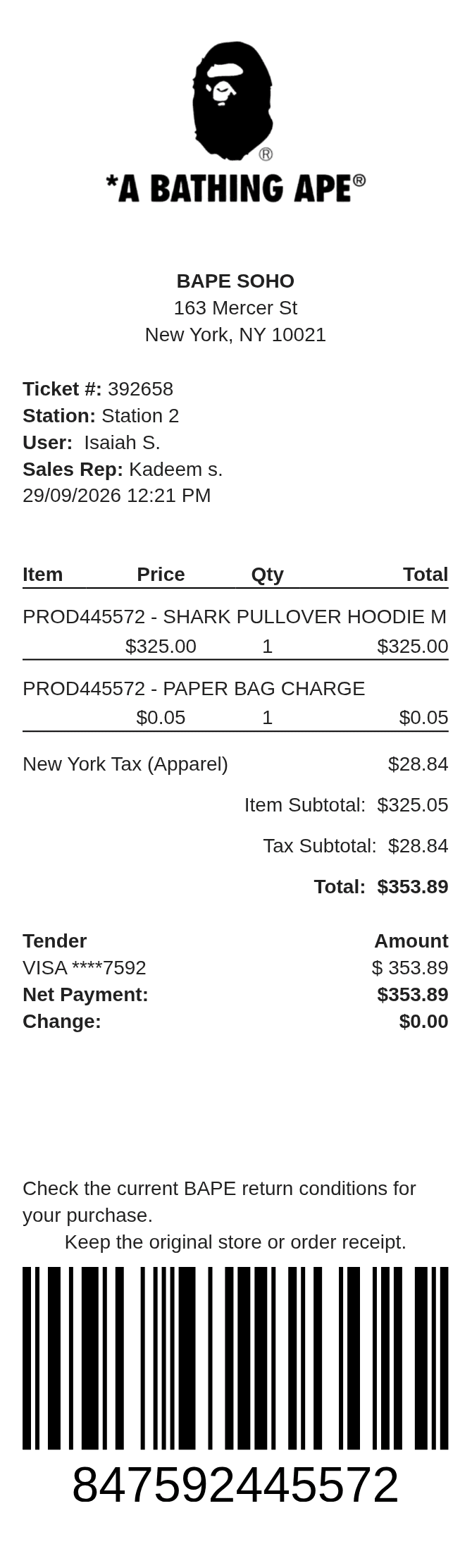
The BAPE receipt lists each product code and description with a size, unit price, quantity and calculated total. The sample separates a hoodie from its bag charge. Ticket number, station, user and sales-representative fields identify the checkout, while the payment section follows the tax summary.
BAPE order confirmations and store receipts
For us.bape.com orders, the order confirmation email is the receipt, followed by a shipping confirmation with a UPS tracking number. BAPE says the card charge should show SP USBAPECOM as the merchant, which helps confirm you ordered from the official store. Purchases in a BAPE retail store get the store's own receipt.
Returns and copies of BAPE receipts
BAPE's customer service at cs_us@bape.com answers order questions Monday to Friday. Eligible online orders can be returned within 20 days for us.bape.com store credit, minus the original shipping and an $8 restocking fee, by entering the order number and email at BAPE's Loop Returns portal. Online orders can't be returned in a store, and purchases made in BAPE retail locations are final sale.
Garment and checkout fields
| Section | Details |
|---|---|
| Product | Description, product ID and size selection |
| Price | Quantity, unit price and calculated line amount |
| Checkout | Ticket, station, user and sales representative |
| Tax | Entered percentage and independently selected state label |
| Payment | Card suffix or cash received and change |
Related receipt guides
Keep accessories and bag charges separate
- Enter the store and ticket details.
- Add one row for each item, using its correct size, quantity and unit price.
- Use another row for a bag or accessory charge, then review the state label and tax percentage.
- Check the payment amount and optional barcode before saving a PDF or PNG.